

Choosing the Right Hiring Software for Streamlined Hiring
Learn how choosing the right hiring software helps you automate screening, reduce no-shows, and speed up hiring in a data-driven recruitment process.

If your hiring process feels slow, messy, and full of no-shows, you’re not alone. Manual screening, endless back-and-forth scheduling, and scattered tools drain hours from already-stretched teams. Choosing the right hiring software is how you stop firefighting and start running a predictable, efficient hiring funnel.
HRMLESS helps teams move beyond spreadsheets and inbox juggling by automating pre-screening, interview scheduling, and candidate updates in one place. The result is more time spent with the right candidates, not on admin.
In this guide, you’ll learn how to define your hiring needs, evaluate features that actually matter, compare vendors, and measure performance over time. We’ll walk through data security, pricing models, and scalability so you can choose the right hiring software with confidence and avoid expensive wrong turns.
What Is Hiring Software?
Hiring software takes over tasks you’d usually do by hand; think pre-screening, sorting resumes, scheduling interviews, and messaging applicants. By cutting manual work, the software saves time and reduces mistakes.
Key functions include:
- AI-driven candidate screening and scoring
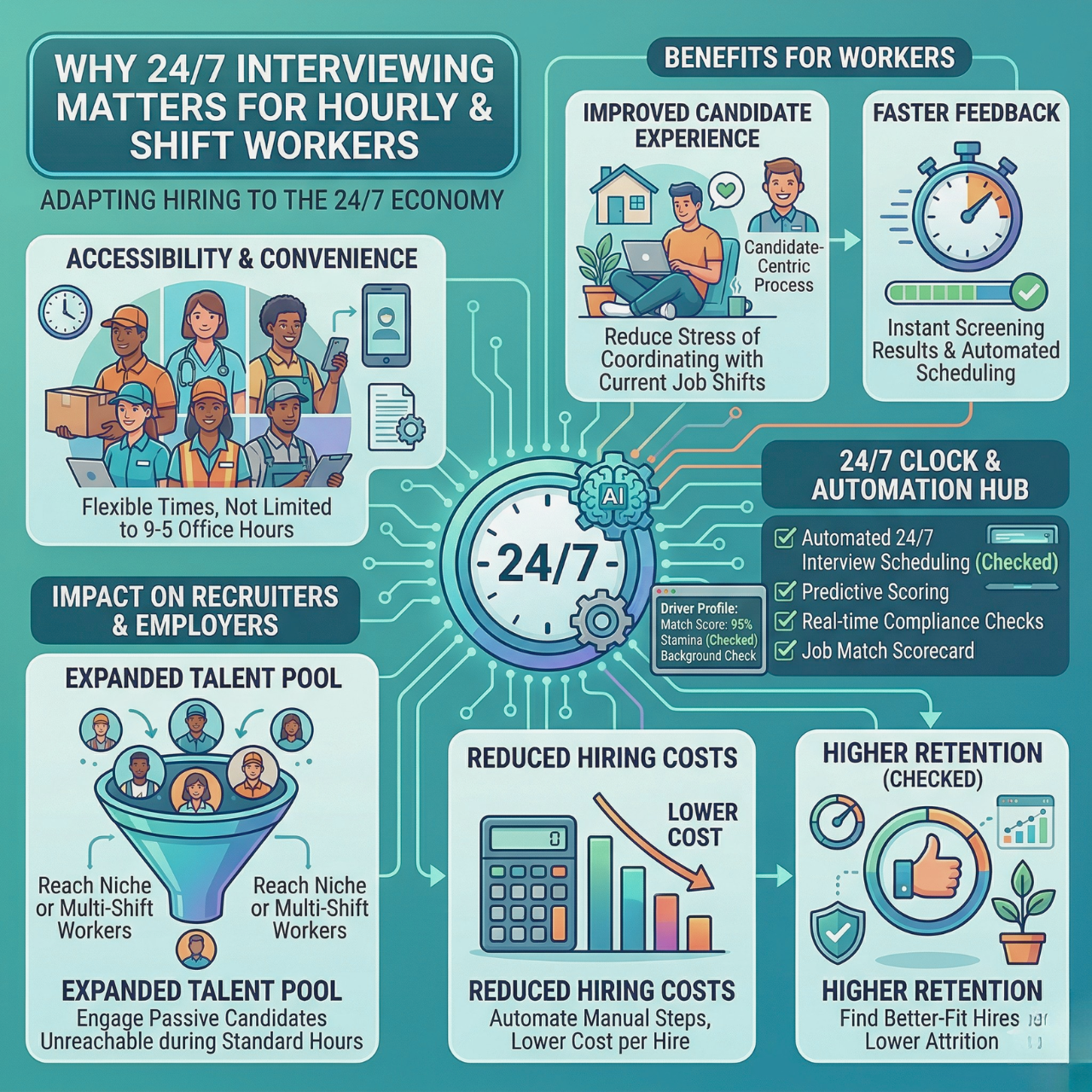
- Automated interview scheduling to cut down on no-shows
- Multi-channel candidate engagement (SMS or email)
- Integration with Applicant Tracking Systems (ATS) so your data stays connected
Types of Hiring Software
Different hiring tools target different stages of recruitment. Here are the main types:
- Applicant Tracking Systems (ATS): Manage job postings and track candidates all in one spot.
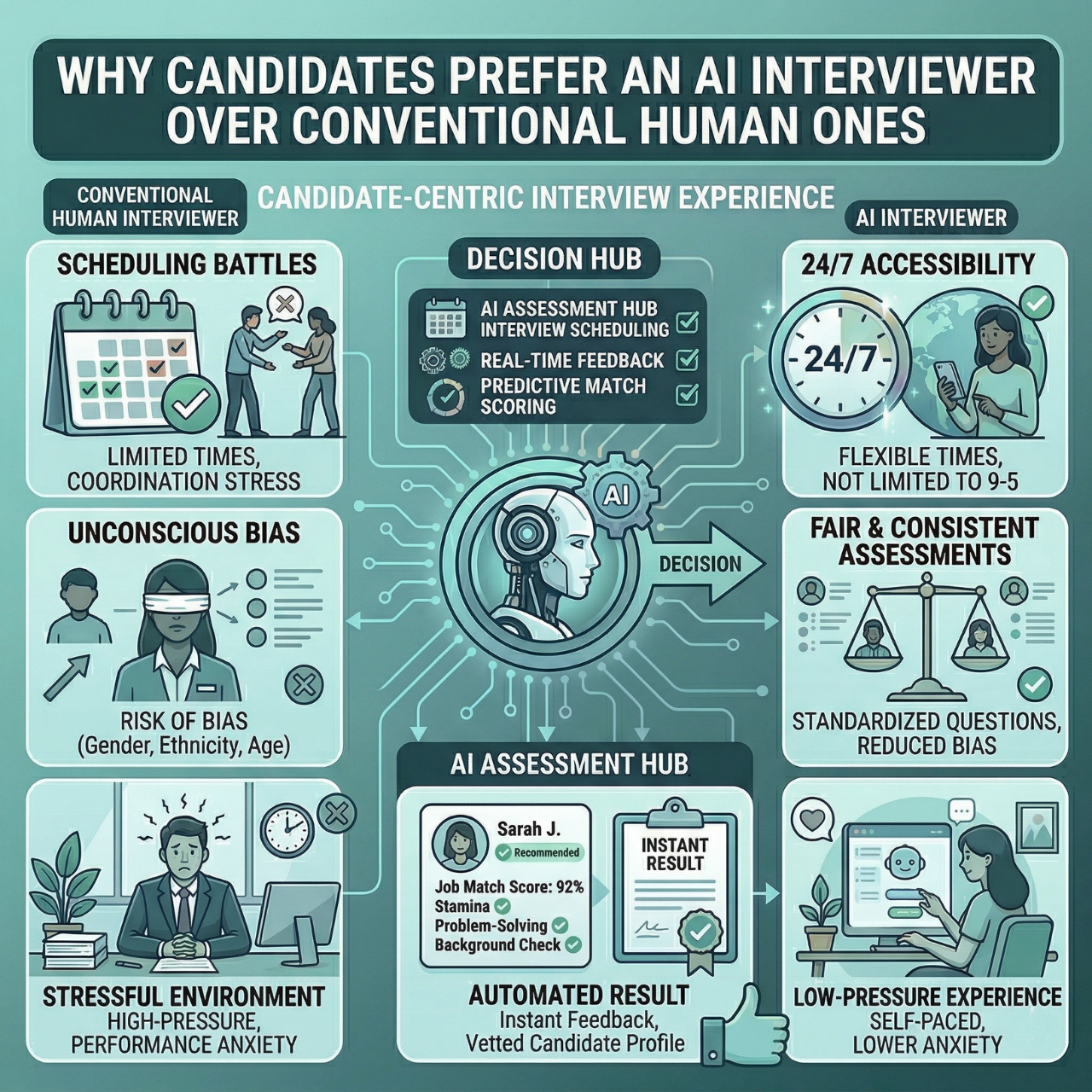
- AI Interviewing Platforms: Run automated, round-the-clock interviews and score responses.
- Recruitment Marketing Tools: Attract talent with targeted campaigns.
- Scheduling Software: Sync calendars and cut down on no-shows with automated booking.
Choosing software that fits your hiring needs means you can handle more candidates without burning out your team.
Current Trends in Recruitment Technology
Recruitment tech is racing toward full automation and AI-driven decision-making. Some trends worth watching:
- Conversational AI that chats with candidates any time, day or night
- More focus on reducing bias using objective scoring
- Real-time analytics dashboards for spotting bottlenecks fast
- Better integration with HR systems for smoother workflows
When technology saves you hours per hire and helps you engage candidates instantly, you’re set up for a faster, fairer, and more efficient recruiting process that actually scales.
Assessing Your Hiring Needs
Before you pick hiring software, make sure you know what your team really needs. What skills and qualities matter most? How often do you hire? Who’s making the decisions? Getting clear on these points makes it easier to find a tool that fits your process without any guesswork.
Identifying Key Requirements
Start by listing what your company needs from candidates. Think about the skills, experience, and personality traits that matter for each role. Technical jobs might need coding tests, while sales roles could require communication evaluations. Also, consider features like automated pre-screening, skill assessments, or video interviews.
Pick tools that match your real needs so you can save time and boost candidate quality. The right software helps you make fair, objective choices every time.
Volume and Frequency of Hiring
How many people do you hire each month or year? If you’re hiring often or in big batches, you’ll need software that can handle the load without stressing you out. An automated system can quickly screen lots of candidates, sort them by fit, and take care of scheduling. This saves hours per hire and keeps things moving.
If you hire less frequently, look for tools with flexibility and easy customization so you’re not stuck with features you don’t need.
Involvement of Hiring Teams
Who’s actually using the software: hiring managers, recruiters, HR? Knowing this helps you pick tools that support collaboration and don’t leave anyone in the dark. Look for features like shared dashboards, real-time feedback, and automated notifications. These help everyone stay on the same page without endless meetings.
Think about training too. Software that’s genuinely user-friendly means less frustration and a faster start for your team.
Essential Features to Look For
When you’re choosing the right hiring software, focus on tools that make recruiting faster and more accurate. You want to track every step, automate the boring stuff, connect easily with your HR systems, and have an interface that doesn’t make you want to pull your hair out.
Applicant Tracking Capabilities
Applicant Tracking Systems (ATS) help you keep all candidate info in one place. A good ATS lets you see resumes, cover letters, and communication history in seconds. It should also let you sort and filter candidates by qualifications or keywords.
Look for features like automated resume parsing, easy ranking, and workflow tracking. This way, you spend less time on manual review and more time with top talent. Your ATS should make it obvious where each candidate stands, so nobody slips through the cracks.
Automation and Workflow Tools
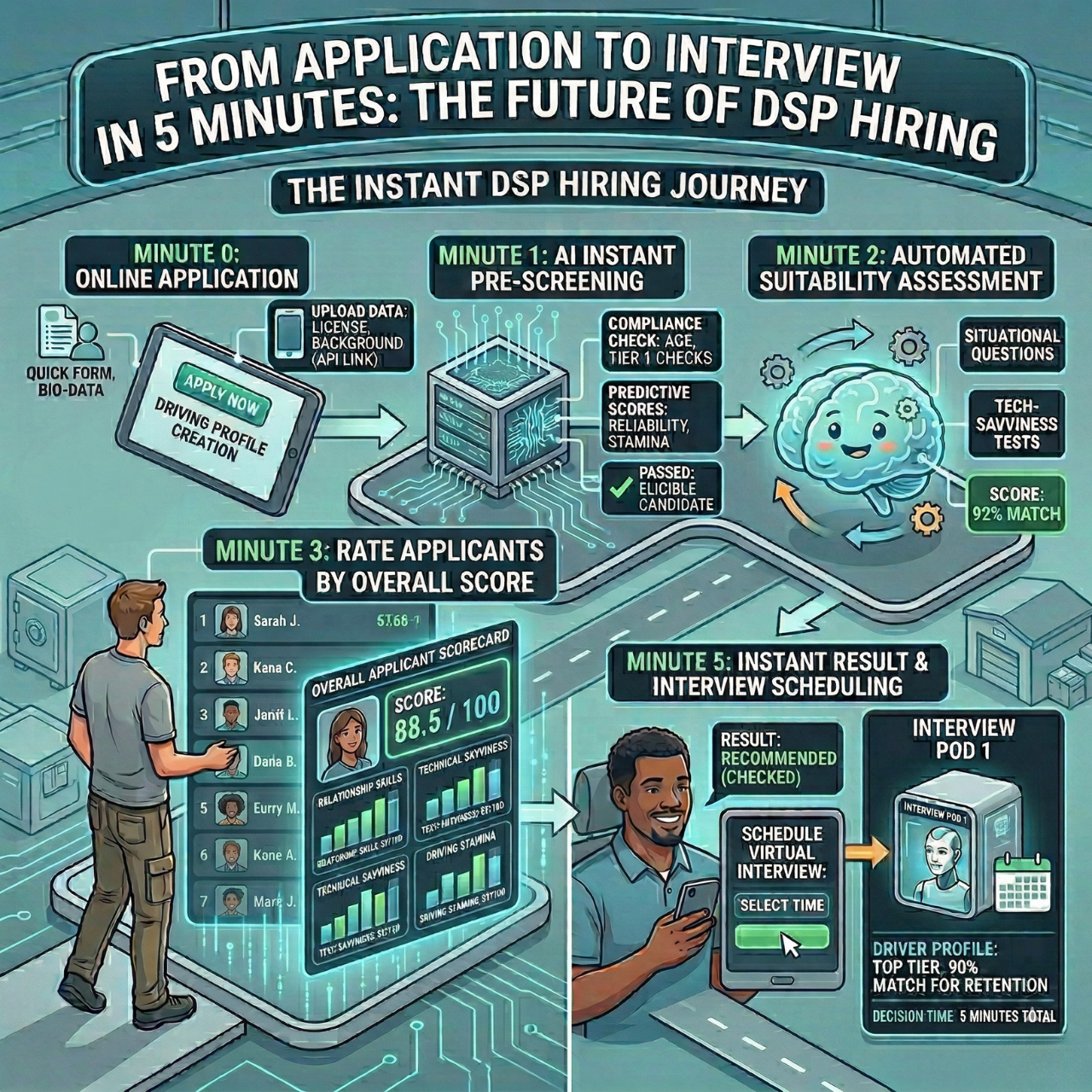
Automation is a lifesaver, handling repetitive tasks like screening, scheduling, and follow-ups. The best hiring software uses AI to pre-screen candidates, score applications, and even schedule interviews, all with minimal effort from you.
You want tools that keep candidates engaged—think email or SMS nudges—to reduce no-shows. Automation also flags unqualified candidates early, so you only spend time on folks who actually fit. It just keeps everything running smoother.
Integration with HR Systems
Hiring software needs to connect seamlessly with your existing HR systems—payroll, onboarding, employee management, all that. When things integrate, data flows smoothly and you avoid double-work and mistakes.
Pick software that supports the HRIS and ATS platforms you already use. A good system syncs candidate info in real time, making the jump from hiring to onboarding pretty much painless.
User-Friendly Interface
An easy, straightforward interface is non-negotiable. Look for simple dashboards and navigation, so your team can focus on decisions, not figuring out the software.
The best platforms show you where every candidate is at a glance. Both recruiters and candidates benefit from a smooth experience. Less training, fewer mistakes, and a faster process overall.
Evaluating Vendor Options
Choosing hiring software isn’t just about the features—it’s about who’s behind the tech. You want a vendor that’s reliable, lets you try before you buy, and stands by you after the sale.
Reputation and Customer Reviews
Check out vendors with a solid track record in hiring software. Read online reviews and ratings from real users, not just shiny marketing copy. Focus on how well the software performs in real-world screening and scheduling. Does it actually speed up hiring?
Pay attention to feedback about the vendor’s honesty and support. If you can, ask for references from similar companies. Hearing about real experiences can make a world of difference.
Demo and Trial Availability
Vendors that offer demos or free trials give you a chance to see if the software fits your workflow. During a demo, test out features like AI pre-screening and automated scheduling. Does the interface make sense, or is it clunky? See how it integrates with your ATS.
A trial period is even better; try out candidate engagement tools and AI scoring for yourself. You’ll spot any red flags before you commit. Make sure you get clear guidance during demos and trials, so you’re not left guessing how anything works.
Support and Customer Service
Good support is crucial once you’re up and running. Look for vendors offering fast, helpful service by phone, email, or chat. Ask about training, too. Some vendors offer onboarding or ongoing education, which really helps your team get the most out of the software.
Check if support is available during your business hours and how quickly they respond. Fast help means less downtime and a smoother hiring process.
Customization and Scalability
Your hiring software should fit your unique process and grow with you. The right system lets you tweak workflows and templates to match your needs, and it adapts as your team and hiring volume ramp up.
Tailoring Workflows and Templates
Look for software that lets you customize every step, from screening to interviews. You want workflows that actually match your hiring stages—without extra hassle. Being able to change templates, notifications, and evaluation criteria on the fly saves time.
Customization means you can automate routine tasks your way, focusing on what matters most. Email and rejection templates should be editable, too. Clear, consistent communication saves hours and keeps things professional, even if job requirements shift.
Adaptability for Growth
As your company grows, your hiring needs will change. You want hiring software that can handle more candidates and roles without bogging down your team. Scalable platforms manage higher volumes and add features as you need them.
Automatic resume filtering and AI-driven candidate ranking help you keep up when applications pour in. Look for systems with easy ATS integration and real-time analytics, so you can spot bottlenecks as you expand. Flexible software lets you add or tweak features down the road, saving you from expensive system overhauls.
Scalability means your hiring stays quick, fair, and efficient, no matter how big you get.
Data Security and Compliance
When you pick hiring software, you’re trusting it to protect sensitive candidate data and follow legal rules. The right tool should keep information safe and help you avoid fines, but also shield your company’s reputation. These elements combine to build trust with candidates and support a fair hiring process.
Protecting Candidate Information
Candidate data often includes personal and sometimes very sensitive details. Your hiring software needs to use strong encryption, both when storing data and when sending it over the wire. Look for systems with secure applicant portals, and make sure only authorized users have access. You don’t want everyone poking around in confidential files.
Audit trails matter, too. They show who accessed or changed data, so you can spot suspicious activity before it becomes a big problem. Automatic data backups and disaster recovery plans keep information safe if something goes wrong with the system.
AI-driven tools can help reduce human errors that might lead to leaks or misuse. Prioritizing candidate privacy protects your brand and lets candidates feel more secure during the hiring process.
Ensuring Regulatory Compliance
Hiring software needs to comply with laws like GDPR, EEOC guidelines, and local data privacy rules. That means you have to manage data rights clearly, letting candidates see, fix, or delete their info if they ask.
It’s smart to choose software that automates compliance tasks, like bias detection in job descriptions and keeping audit logs of hiring decisions. These tools help you steer clear of discrimination claims and regulatory headaches. Compliance features should also cover secure data storage, consent management, and regular updates to keep up with changing laws.
Cost Considerations
When you’re picking hiring software, it’s important to understand how pricing works and watch for extra costs. Your costs will depend on team size, the features you need, and whatever contract you sign.
Pricing Models
Hiring software comes with different pricing models—sometimes it feels like there’s a new one every week.
- Subscription-based: Pay monthly or yearly, usually based on users or the number of job openings.
- Per user or per recruiter: You pay for each person on your HR or recruiting team who uses the platform.
- Pay-per-candidate: You get charged for every applicant processed or interviewed.
- Tiered plans: Basic, Growth, and Pro plans unlock more features as you go up in price.
Pick a model that fits your hiring volume and team size. If you hire a lot, a flat monthly fee might save money compared to paying per candidate. Some platforms offer scalable plans, so you only pay for what you actually use.
Hidden Fees and Contracts
Watch out for extra fees that aren’t obvious upfront—they add up fast.
- Setup or onboarding fees: Some tools charge extra just to get started.
- Integration costs: Connecting to your ATS or HRIS might require paid add-ons.
- Support fees: Premium support or training sessions often cost more.
- Contract length: Long contracts can lock you in, but shorter terms usually cost more per month.
Always read the terms closely. Ask about trial periods, cancellation fees, and what happens if your hiring needs change. A transparent pricing model keeps your hiring process running smoothly and helps you avoid surprises.
Implementation and Onboarding
Getting your hiring software running isn’t just about installation. You’ll need smooth integration with your current systems and a solid training plan to make sure your team can actually use the tool. Focusing here means less downtime and faster adoption—no one wants a tool that sits unused.
Setup and Integration Process
Start by connecting the new software to your existing ATS, HRIS, and whatever else you use. Look for platforms with easy API integrations or built-in connectors so you don’t have to enter data by hand. This keeps your candidate info synced and reduces mistakes.
Plan your setup in stages: begin with core features like AI pre-screening and automated scheduling, then add things like SMS engagement or real-time analytics later. Test each part to make sure it works with your current hiring flow. Lean on vendor support and resources during setup—they can help you avoid common pitfalls and get your system ready for live hiring faster.
Training and Change Management
Training matters. Set up clear, role-based sessions for hiring managers, recruiters, and HR staff. Focus on practical tasks like reviewing AI scores, sending automated nudges, and scheduling interviews. Encourage hands-on practice with sample candidates or mock interviews—people learn better by doing.
Set expectations early. Explain how automation can cut out busywork and speed up hiring. Keep support handy through FAQs or quick-access guides to make the transition less painful. Gather feedback regularly to spot confusion or problems. A smooth onboarding process means your team actually uses the software and gets better hiring results.
Performance Measurement and Reporting
You need to know if your hiring software is actually working. Tracking data and using reports helps you spot issues and tweak your strategy for better outcomes.
Analytics and Metrics
Look for software with clear, real-time metrics—not just a bunch of numbers, but something you can actually use. Metrics like time-to-hire, candidate drop-off rates, and recruiter effectiveness matter. Visual dashboards make it easier to get the gist at a glance.
Some key analytics to track:
- Time and cost per hire: Know how long and how much you spend on each recruitment.
- Candidate quality scores: See which candidates meet your standards automatically.
- Diversity metrics: Track hiring from different groups to keep things fair.
- Engagement rates: Measure how candidates respond to your outreach and invites.
A good dashboard lets you track these numbers instantly, so you don’t have to dig through spreadsheets all day.
Continuous Improvement
Use your performance data to keep improving your hiring process. Look for patterns—maybe candidates drop out at a certain step, or no-shows spike during interviews. Set goals based on your reports, like shortening the time from interview to offer or reaching more candidates with automated SMS nudges.
Reviewing these insights regularly lets you:
- Fix bottlenecks before they slow you down.
- Tweak automation to screen better.
- Boost candidate engagement and cut down on ghosting.
Ongoing data reviews help keep your hiring process efficient, fair, and, honestly, just less stressful for everyone involved.
Making the Final Decision
Choosing hiring software isn’t just about ticking boxes. You’ve got to match your real needs—think speed, automation, and strong candidates—to what the platform actually offers.
So, what matters most? Tools that save you time, obviously. Automated scheduling and AI pre-screening can chip away at manual tasks and help you avoid frustrating delays. That’s how you get to faster hires and fewer no-shows.
But there’s more. How does the software deal with bias? You want a process that’s fair and actually moves the right people forward. Unbiased scoring and automated nudges keep things moving, and they help cut down on those little human slip-ups that can throw things off.
Don’t forget about integrations. If a system can plug into your ATS and HRIS without drama, you’ll track everything in one place, and real-time analytics won’t leave you guessing.
Here’s a quick checklist to help you size up your options:
Feature
What It Does
Why It Matters
AI Pre-Screening
Lets candidates interview anytime
Speeds up screening
Automated Scheduling
Handles interview bookings
Cuts down no-shows
Bias Reduction Tools
Scores candidates objectively
Improves fairness and quality
Integration Capabilities
Connects with ATS & HRIS
Keeps everything in sync
Analytics Dashboard
Tracks hiring metrics
Finds bottlenecks early
If speed and efficiency top your list, some platforms use advanced AI to automate screening, scoring, and scheduling. That means less busywork for you and fewer holdups in the process. The right software should help you engage, assess, and hire with less hassle. Keep your process modern, straightforward, and as painless as possible.
Turn Hiring Chaos into a Clear Workflow
Manual screening, missed follow-ups, and constant rescheduling slow everything down. Choosing the right hiring software helps you replace that chaos with a clear, trackable hiring flow, cutting time-to-hire while improving candidate quality and experience.
With HRMLESS handling pre-screening, scheduling, and candidate updates in one place, your team spends less time on admin and more time making confident, data-backed hiring decisions. The result is faster hiring, fewer no-shows, and a fairer, more consistent process across every role.
If you’re ready to fix the bottlenecks in your recruiting process, now is the time to act. Book a demo to see how the right hiring software can streamline your workflow and help your team hire better, faster.
Frequently Asked Questions
What should I look for when choosing the right hiring software?
Focus on tools that speed up screening and scheduling, reduce manual work, and give you clear visibility into every candidate. Look for strong automation, good reporting, ATS integration, and a simple interface your team will actually use.
How do I know if my company is ready for hiring software?
You’re ready if you struggle to keep up with applications, rely on spreadsheets or email to track candidates, or regularly lose track of where people are in the process. High time-to-hire, frequent no-shows, or complaints from hiring managers are strong signs you need a more structured system.
Can hiring software really reduce bias in recruitment?
Hiring software can’t remove bias entirely, but it can help minimize it. Features like structured scoring, standardized interview questions, and blind screening reduce subjective decisions and keep your team focused on skills, experience, and role fit.
Is hiring software worth it for smaller teams or low-volume hiring?
Yes, if it removes repetitive tasks and helps you stay organized. Smaller teams benefit from simple workflows, templates, and automation that free up time for outreach and interviews rather than admin. Just choose a tool that matches your volume so you’re not paying for features you won’t use.
How can I measure the impact of choosing the right hiring software?
Track metrics before and after implementation. Start with time-to-hire, cost per hire, candidate drop-off, and no-show rates. If the software is a good fit, you should see faster hiring, better candidate engagement, and clearer data to guide future hiring decisions.
Featured

Subscribe to ournewsletter
Related posts
Explore the world of photography with our curated selection of
portfolio websites that showcase creativity and innovation.