

Compare AI Recruitment Software Features for Smarter Hiring
Compare AI recruitment software features to cut manual screening, reduce no-shows, and hire faster with tools that integrate smoothly with your ATS.

Analyzing AI tools can feel like a grind when you’re buried in resumes, juggling interviews, and still losing good candidates to slow processes. You need to compare AI recruitment software features in a way that actually solves everyday pain: manual screening, no-shows, and messy data spread across tools.
That’s where platforms like HRMLESS come in, turning repetitive tasks like screening, scoring, and scheduling into automated flows that run in the background. Instead of chasing calendars and status updates, you get a clear view of who’s qualified and ready to move.
In this guide, you’ll understand which capabilities matter most for your team size, hiring volume, and market. By the end, you’ll know what to look for so you can choose tools that fix bottlenecks, not create new ones.
Core AI Recruitment Software Features
AI recruitment software aims to speed up hiring while keeping it fair and efficient. Key tools help you automatically review candidates, understand resumes better, and connect the right people to the right jobs faster.
Automated Candidate Screening
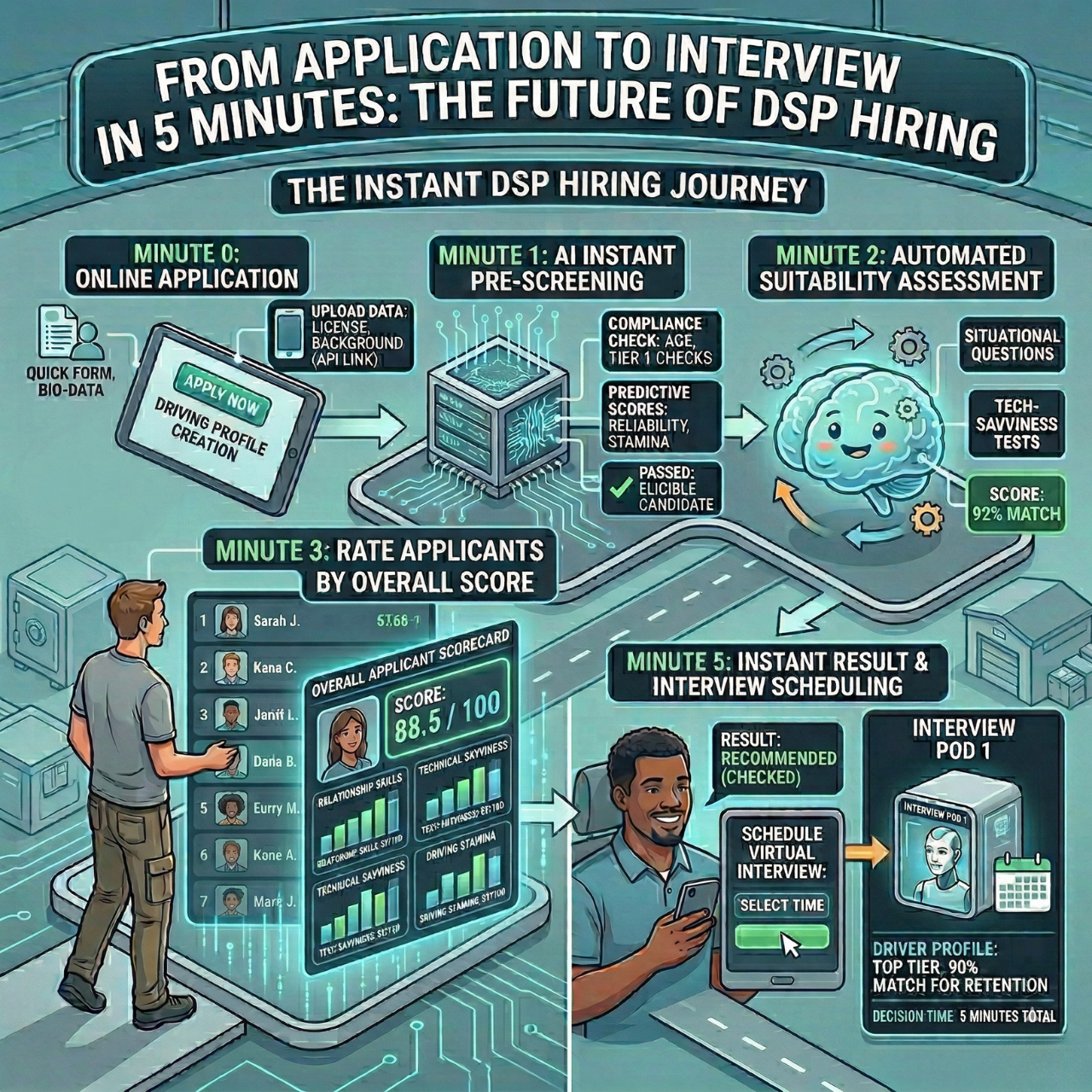
Automated candidate screening uses AI to quickly review applications and filter out folks who aren’t a match. You don’t have to read every resume by hand, and only the top candidates move forward.
It looks for skills, experience, and keywords in resumes, then scores candidates based on how well they fit the job. Consistent rules for everyone help reduce bias in the process.
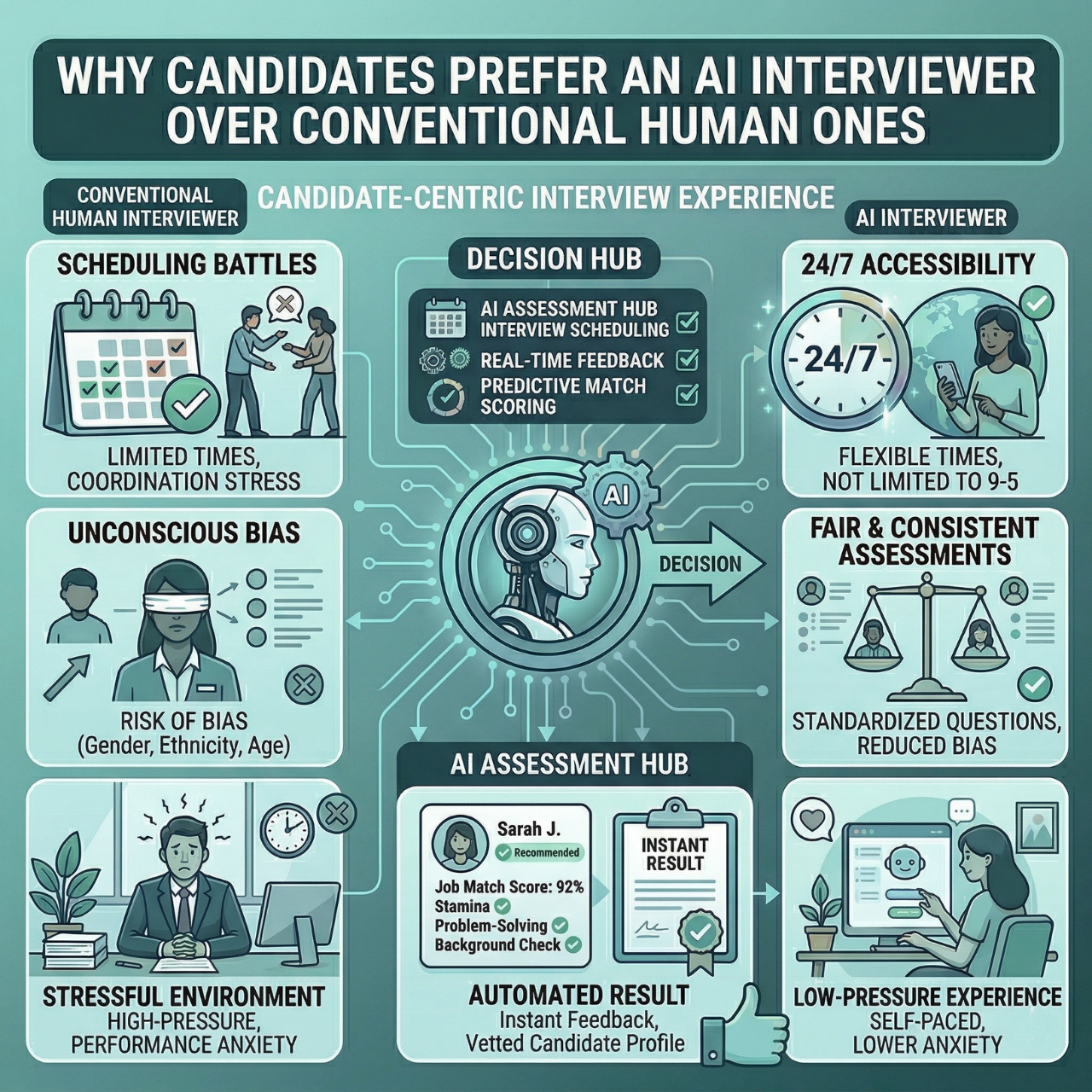
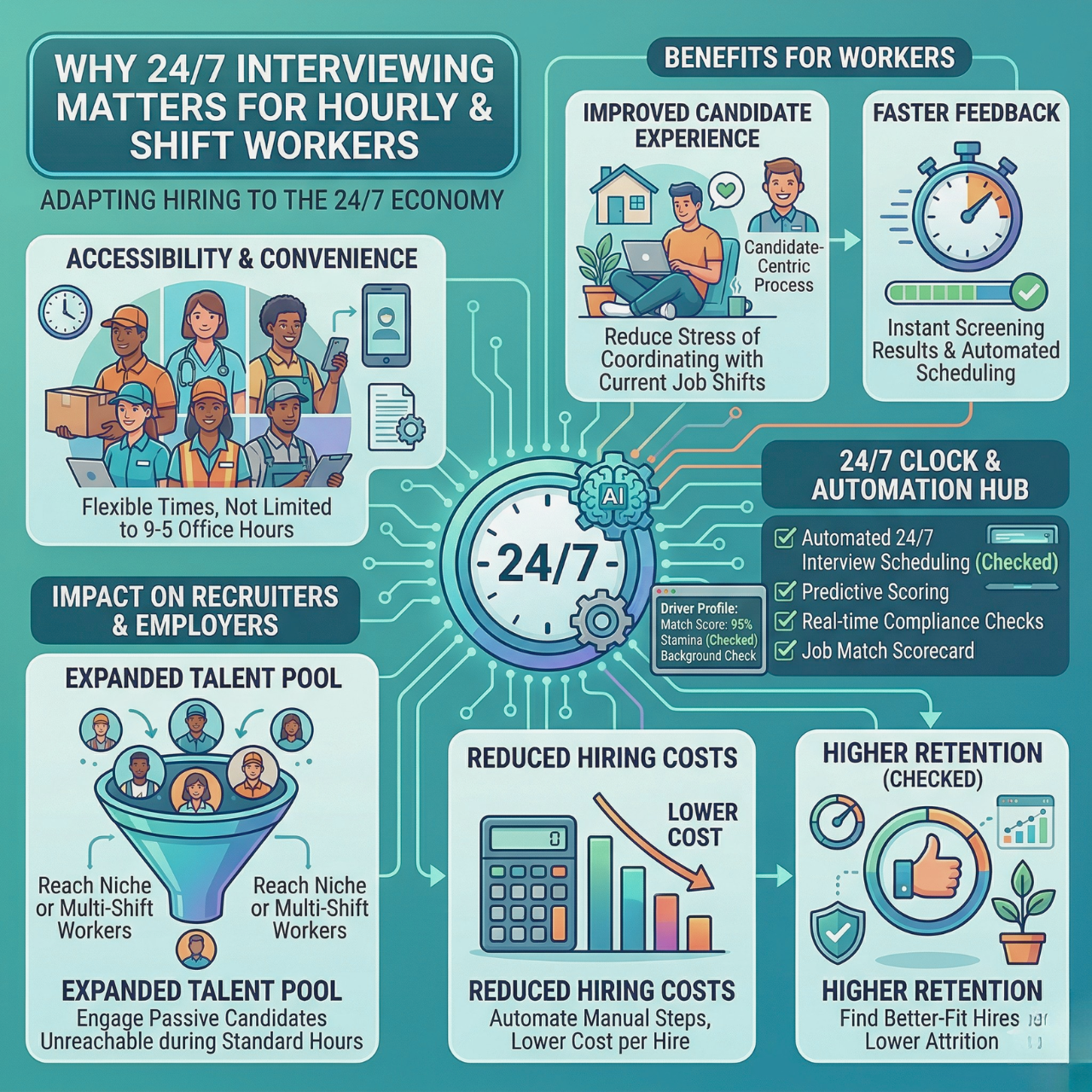
Screening happens around the clock, so candidates aren’t stuck waiting. You get results faster and spend more time with people who actually fit the role. Keeping candidates engaged throughout also helps cut down on ghosting.
AI-Powered Resume Parsing
Resume parsing is that handy tech that reads and organizes resume info automatically. Instead of losing hours sorting files, AI grabs details like education, work history, and skills.
Your records stay neat and searchable. You can quickly spot candidates with the qualifications you care about. Parsing also highlights keywords that match your job descriptions.
Good AI tools catch all sorts of resume styles, so nobody gets missed just because they formatted things differently. That keeps your talent pipeline strong. Resume parsing updates candidate profiles in your ATS without you needing to type a thing.
Smart Job Matching
Smart job matching connects candidates to roles that actually suit them. AI compares a candidate’s skills and experiences against job requirements for more accurate matches.
This goes beyond basic keyword searches. It digs into deeper qualifications and even soft skills. The system ranks candidates based on who’s likely to perform best and fit your culture.
Smart matching saves time on unsuitable hires and lowers turnover. It’s a lifesaver when you’re hiring fast or juggling tons of roles at once. Using AI-powered job matching keeps your hiring process smooth and a lot less stressful.
Interview and Communication Tools
You want hiring tools that save time and keep candidates engaged from start to finish. Smart interview and communication features help cut delays and reduce no-shows.
Automated Interview Scheduling
Automated scheduling takes away the headache of endless back-and-forth messages. Candidates pick interview times that fit their schedules, even across time zones.
This feature reduces no-shows by confirming only truly interested candidates. Your team saves hours each week by letting the software handle calendars and reminders.
Scheduling tools sync with your ATS or calendar system, so everything stays in one place. You’ll know instantly when someone books or reschedules.
Seamless scheduling like this lets you focus on hiring instead of playing scheduler. It can save about 2.7 hours per hire, which adds up fast.
AI Chatbots for Candidate Engagement
AI chatbots keep candidates informed and interested the whole way through. They send instant messages, reminders, and updates by SMS or email, which really helps with ghosting.
Candidates get quick answers to basic questions and a smooth flow from application to interview. This steady communication builds trust and transparency, two things that matter a lot.
Chatbots prompt candidates to complete steps like assessments or interviews, keeping things moving without extra work from you. That’s huge for keeping top talent engaged, especially in long hiring cycles.
Automating outreach reduces your workload while giving candidates a friendly, responsive experience. It’s key for scaling hiring without losing control along the way.
Video Interview Analysis
Video interview analysis uses AI to review how candidates speak and present themselves. It checks tone, language, and response structure to highlight communication skills and critical thinking.
This feature gives you consistent, objective insights for shortlisting, which helps cut down on bias. It doesn’t replace your judgment, but it does provide quick, data-backed feedback.
Some platforms analyze facial expressions or voice patterns to spot traits that matter for the role. That helps you evaluate soft skills you’d never see on a resume.
Combining video analysis with automated scoring makes your hiring process faster and more thorough. It’s a lifesaver when you need to screen lots of candidates without dragging out timelines.
Analytics and Reporting Capabilities
When you’re choosing AI recruitment software, make sure you compare AI recruitment software features for analytics and reporting, not just screening. Good systems let you easily track and understand your hiring data. They offer clear, adjustable views of key stats and deliver insights that actually help you improve your hiring steps and candidate experience.
Customizable Dashboards
Customizable dashboards let you see the data that matters most. You decide which metrics to track, such as time-to-hire, candidate drop-off points, or engagement rates. That flexibility lets you focus on what matters to your team.
With dashboards, you get real-time updates. You can spot delays or issues, like candidates quitting at certain stages. If lots of folks drop off after a particular question, maybe it’s time to tweak or ditch it.
Many platforms offer clean dashboard designs that work well on desktop or mobile. You can save preset views, share reports, and keep hiring on track without much hassle.
Data-Driven Hiring Insights
AI tools don’t just give you numbers. They dig deeper into hiring performance. You learn not just how fast you hire, but the quality of candidates moving forward. Maybe you spot which sourcing channels bring in the best talent, or where bias sneaks in.
These insights help you tweak things, like interview questions or candidate engagement. If your software flags issues early, you can reduce ghosting and no-shows by keeping candidates engaged with timely messages.
Clear, actionable reports make it easier to show your hiring impact to stakeholders. Real evidence of cost savings and better hires is something everyone can appreciate.
Integration and Compatibility
Picking AI recruiting software that fits with your current tools keeps your hiring running smoothly. This means making sure it works with your existing systems and can connect through technical integrations if you need them.
ATS Integration
Your Applicant Tracking System (ATS) is where all your hiring data lives. AI software should connect easily with your ATS to share candidate info and updates in real time. That way, you avoid double work and keep everyone on the same page.
Look for features like:
- Automatic resume syncing so candidates move through your pipeline without manual entry
- Real-time status updates so you know immediately when someone advances or drops out
- Compatibility with popular ATSs, so you don’t have to switch systems
Seamless integration automates screening and scheduling without causing disruptions. That saves you hours and cuts mistakes when juggling multiple platforms.
API Support
APIs (Application Programming Interfaces) let you customize and expand your AI tool’s features. If your software has a strong API, you can connect it with your HR systems, analytics, or communication apps.
Some API capabilities to look for:
- Candidate data exchange so info flows smoothly between software and your internal tools
- Custom workflows to automate unique hiring steps that fit your process
- Push notifications and alerts to keep your team updated through emails or texts
With API support, you’re in control. Build a system that fits your team’s style, not the other way around. Accessible API options help you reduce chaos and keep hiring on autopilot.
User Experience and Accessibility
Your AI recruitment software should be easy to use and reachable wherever you work. Good design and mobile access help you save time, stay organized, and keep candidates engaged without much fuss.
User Interface Design
Look for software with a clean, simple layout. A clear dashboard helps you track candidates and hiring stages without getting lost. Key features like resume screening, candidate scoring, and scheduling should be easy to find.
Intuitive menus and visual progress bars show where candidates stand, which cuts mistakes and speeds up decisions. Real-time alerts and reminders keep you in the loop without having to constantly check.
Good user design means less time training your team. You want software that anyone in HR can pick up and use without feeling overwhelmed.
Mobile Accessibility
Mobile-friendly AI hiring tools let you manage recruiting anytime, anywhere. Whether you’re scheduling interviews or reviewing candidate answers, the app or site should work smoothly on phones or tablets.
You can engage candidates quickly through mobile notifications via SMS or email. This keeps candidates moving through your pipeline and reduces no-shows.
Mobile access helps you respond fast to top talent, so you don’t lose candidates to slower processes. Choose platforms that sync well with desktop versions, so your data stays up to date everywhere.
Bias Reduction and Fair Hiring
Bias in hiring slows down finding the right person and leads to unfair decisions. With AI tools, you can make your recruitment process fairer and more focused on qualifications.
These tools help remove personal details from the process and give you clear data to track diversity efforts. It’s not perfect, but it’s a real step toward fairer, more transparent hiring.
Blind Screening Features
Blind screening hides names, photos, and other personal info from resumes and applications. This helps you focus only on skills and experience, making things fairer for everyone.
AI software automates blind screening by scanning resumes and scoring candidates without showing any identifying details. You get to skip the bias and just see what matters.
- Fair evaluation based only on qualifications
- Reduced risk of bias related to gender, race, or age
- Saving time by automating pre-screening steps
You can trust that the best fit rises to the top, not just whoever looks most familiar on paper.
Diversity Analytics
Tracking diversity means measuring who you’re hiring and figuring out where bias might show up. Good AI hiring tools offer dashboards that show your team’s diversity data in real time.
- See gender, ethnicity, and other balance metrics
- Find stages in hiring where certain groups drop out
- Spot trends to improve outreach and screening
This kind of visibility helps you fix gaps faster. Your hiring becomes more transparent and grounded in data instead of guesswork.
Many platforms combine these analytics with automated candidate engagement and scheduling. That way, you keep diverse talent interested all the way through.
Scalability and Customization Options
When you’re picking AI recruitment software, you want something that can grow with your hiring needs and flex to fit how you work. Flexible workflows and language options keep things smooth, whether your team is big or small, local or global.
Configurable Workflows
Software should mold to your hiring steps, not force you into a box. Look for tools that let you set up custom screening stages, interview rounds, and scoring methods.
This way, you can build a process that fits exactly how your team evaluates candidates. With configurable workflows, you automate repetitive tasks but keep control over key decisions.
For example, you might adjust AI screening questions or tweak scoring to match your job needs. This kind of flexibility makes it easier to handle anything from a handful of roles to a massive hiring spree. It also keeps everyone on the same page, since each stage is clear and consistent.
Multi-Language Support
If you’re hiring globally, multi-language support is a must. The software should let candidates apply and interview in the language they’re most comfortable with.
That usually means translated interview questions, automated messages, and candidate interfaces. It’s a small thing, but it goes a long way toward making people feel respected and understood.
Some solutions also let you customize scheduling and feedback tools by language. Local teams can stay aligned, and candidates aren’t left guessing.
Choosing a platform with strong multi-language support opens up your talent pool. It makes finding the right fit across regions much easier.
Pricing Models and Support Services
When you’re picking AI recruitment software, you need to know how pricing works and what kind of help you’ll get if something goes sideways.
Different plans suit different hiring volumes and budgets. Support options range from chat help to a dedicated account manager who feels like part of your hiring team.
Subscription vs. One-Time Fees
Most AI hiring platforms use subscription plans. You pay monthly or annually, depending on your hiring needs.
Subscriptions usually include features like AI interviews, automated scheduling, and candidate scoring.
- Flexible pricing: plans scale with your volume, from small startups to large teams
- All-inclusive access: you get ongoing updates and feature improvements
- Transparent fees: clear monthly or yearly costs, fewer surprise charges
One-time fees pop up less often, but you might see them for set-up or customization. They usually don’t cover continuous support or updates, so you’ll pay extra later for improvements or help. A subscription keeps your recruitment tools current and your process running smoothly.
Customer Support Channels
Good support makes a difference, especially when you’re in the middle of a big hiring push. Look for platforms with multiple support options, like:
- Email and chat for quick answers during business hours
- Phone support for times when you need help urgently
- Self-service resources such as guides, FAQs, and videos
- Dedicated account managers for high-volume recruiters
Some platforms offer 24/7 support through chat and email, plus helpful resources for learning the ropes. If you’re hiring at scale, having a direct contact who knows your account can really help. Support quality often ties to the plan you pick, so keep that in mind when you’re comparing prices.
Security and Compliance
Data security is non-negotiable. When you’re handling candidates’ personal info, you need to keep it locked down tight. No leaks, no unauthorized access.
Look for software that encrypts data both at rest and in transit. You don’t want to gamble with someone’s privacy.
Compliance with hiring laws and privacy regulations is also a big deal. AI tools should follow rules like GDPR or CCPA, depending on where you’re based.
That helps you avoid fines and keeps candidates’ rights front and center. Some platforms offer built-in compliance features, including secure data handling and easy ways to manage candidate consent.
Software that tracks audit trails is super helpful. These logs show who accessed or changed information, providing transparency if you ever need to review your hiring steps.
Make sure your recruitment tools let you customize access levels for your team. Only the right people should see sensitive data. There’s no need to take unnecessary risks.
Key Security Features
Key Security Features
Why It Matters
Data encryption
Protects candidate information
Compliance with laws
Avoids legal penalties
Audit trails
Ensures transparency and review
Role-based access control
Limits internal data exposure
Focusing on security and compliance builds trust with candidates. When people know their data is safe, they’re a lot more likely to engage with your hiring process.
Fix the Friction in Your Hiring
If you’re stuck in manual screening, chasing calendars, and losing candidates, it’s time to compare AI recruitment software features differently. Look for tools that cut busywork, reduce no-shows, and give you clear hiring data.
A platform like HRMLESS automates pre-screening, scoring, and follow-ups so your team can focus on real conversations with qualified people. You get a cleaner pipeline and a process that feels faster and more predictable.
Want to see where automation can remove your bottlenecks? Book a demo to compare AI recruitment software features against your current workflow and spot quick wins.
Frequently Asked Questions
What are the top features to look for in AI recruitment software?
Look for AI pre-screening interviews that work around the clock and automated candidate scoring to surface your top picks. Scheduling tools that reduce no-shows and multi-channel engagement, like SMS and email, keep candidates moving. Integration with your ATS is a must if you want a smooth workflow with less hassle.
How do different AI recruitment tools compare in terms of accuracy and efficiency?
Accuracy really comes down to how well the tools screen resumes and handle interviews. Efficient platforms save you hours by automating repetitive tasks like scheduling and follow-ups. The best ones help reduce bias and ghosting, letting you focus on the candidates who actually fit.
What are the advantages of using AI in the recruitment process?
AI speeds up hiring by automating the basics, such as screening and scheduling. You get more consistent candidate ranking and faster engagement, so there’s less manual work and fewer mistakes. That means more time to actually connect with the best people for your open roles.
What free AI recruitment tools are available that offer robust features?
Some AI tools have free versions with basic screening and scheduling. But free plans usually limit user seats or advanced options like multi-channel engagement and detailed analytics. If you need more automation, paid plans are where you’ll find the real power.
Can AI recruitment software integrate seamlessly with existing ATS?
Yes. The best AI platforms sync directly with your Applicant Tracking System (ATS), so your data stays up to date, and you don’t have to double-handle anything. Look for integration that covers job posting, candidate screening, and interview scheduling to keep everything unified and easy to manage.
Which AI recruitment platforms offer the best user experience for recruiters?
Look for tools with clean dashboards and a setup that doesn’t slow you down. Real-time analytics should feel intuitive, not confusing. User experience improves when the software automates routine work without cluttering the interface. The strongest platforms scale with your company, whether you’re a small startup or a large enterprise
Featured

Subscribe to ournewsletter
Related posts
Explore the world of photography with our curated selection of
portfolio websites that showcase creativity and innovation.