

AI Hiring Insights: Workforce Planning Made Simple

Workforce planning can feel like guesswork without solid data. AI hiring insights flip the script, showing you which skills and candidates are likely to stick around. With AI, you spot patterns from past hires and plan smarter, so you can hire with a bit more confidence.
Tools like HRMLESS help you automate screening and scheduling, so you’re not stuck doing the same old tasks. You get to focus on candidates who actually fit, and AI keeps folks engaged so they’re less likely to ghost you.
When you mix your hiring data with AI’s predictive muscle, you build a workforce that grows with your business. Whether you’re filling a handful of roles or scaling up, AI hiring insights give you a clearer roadmap, minus the usual chaos.
Understanding AI in Workforce Planning
AI is reshaping workforce planning by using data and automation to make hiring less of a shot in the dark. It helps you spot the right skills, speed up recruiting, and even nudge your process toward less bias.
Defining AI-Driven Workforce Planning
AI-driven workforce planning uses artificial intelligence to predict and organize your future hiring. You get insights into which skills matter most and how long employees might stick around.
Instead of making guesses, you lean on data—past performance, job market trends, that kind of thing. AI tools streamline things like screening candidates or setting up interviews, so you can focus on better decisions.
The idea is to balance the right number of people with the right skills, cutting down on costly hiring mistakes.
The Evolution of Hiring with AI
Hiring has moved from manual work to slick automated systems. Early tools just sorted resumes, but now AI can run interviews 24/7 and rank candidates in a snap.
Modern AI understands resumes better and syncs with your HR software for smoother workflows. You get faster responses and fewer bottlenecks.
No more waiting days to reach out or set up interviews—the AI does it instantly, keeping things moving. This speed can really help you hang onto top talent before they wander off to other offers.
Automation also helps reduce bias by sticking to objective data, so you can build a more diverse team based on skills and fit.
Core Benefits and Challenges
AI can help you:
- Save time: Automate screening and scheduling, cutting hours per hire.
- Improve quality: Find stronger matches faster with smart scoring.
- Reduce bias: Focus on data points, not just gut feelings.
- Scale hiring: Handle more roles without drowning in work.
But there are some challenges:
- Data quality: AI’s only as good as the data you feed it.
- Setup time: Getting AI tools up and running takes some effort.
- Human touch: AI can’t replace all human judgment, especially for culture fit.
Key AI Hiring Insights for Modern Organizations
Bringing AI into hiring means you make smarter decisions with real data, cut down on bias, and keep candidates in the loop. All of this helps you plan your workforce better and hire the right people, faster.
Data-Driven Talent Acquisition
AI tools sift through resumes, test scores, and candidate histories to spot top talent quickly. No more wild guessing—AI highlights the folks whose skills actually link to success in your roles.
You can track hiring and retention trends over time. AI can even flag which qualifications or experiences predict long-term performance, so you focus on candidates who’ll stick. Automated tools save you hours by handling interview scheduling and pre-screening.
Bias Mitigation Strategies
AI helps reduce human bias by standardizing how you screen and evaluate candidates. It scores people using clear criteria, skipping over age, gender, or background.
That said, too much automation could overlook unique qualities. The sweet spot? Let AI handle the grunt work, but keep humans in the loop for final calls. This balance makes your team’s choices fairer and more consistent.
Pick AI hiring software built for no-bias recruitment. Features like anonymous screening and algorithms trained to ignore protected traits help boost diversity and inclusion.
Enhancing Candidate Experience
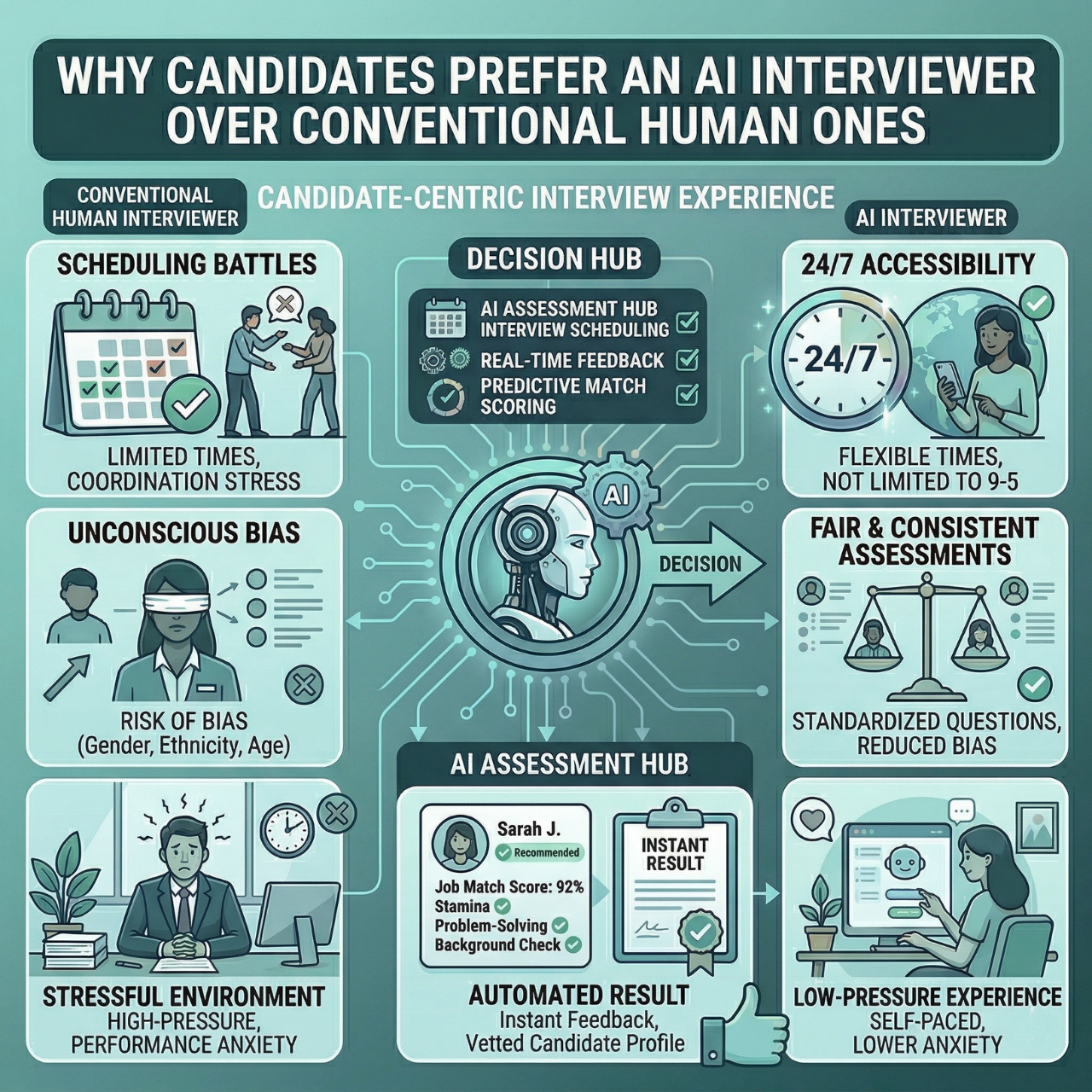
Candidates want quick, clear communication. AI-powered platforms keep applicants updated at every step, nudging them with SMS or email to cut down on ghosting and no-shows.
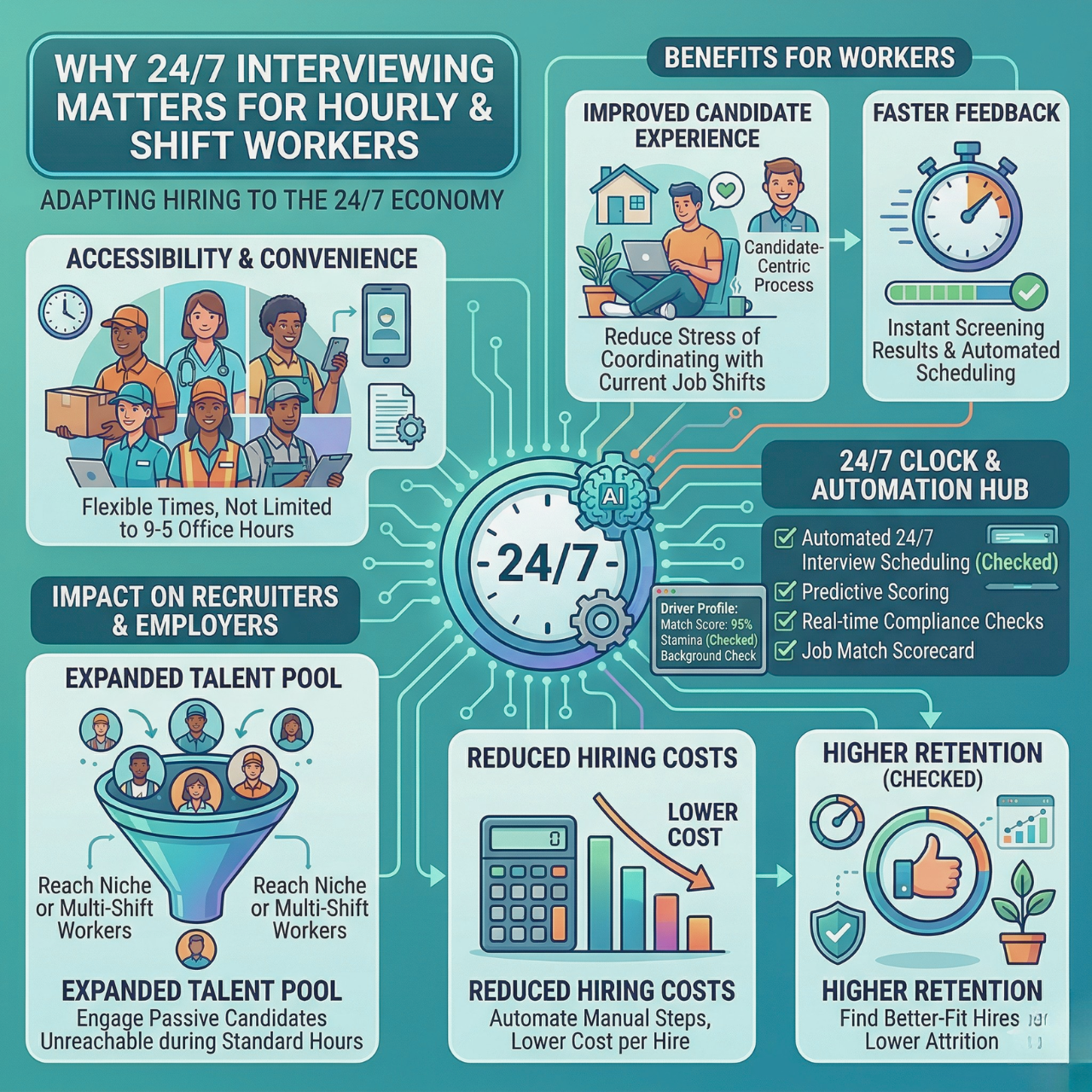
Candidates can do AI interviews whenever it fits their schedule, which shows you respect their time. Automated scheduling tools mean only the truly interested book interviews, so you waste less time.
Tracking real-time interaction data lets you spot and fix hiring bottlenecks fast. The result? A smoother, faster process that leaves candidates with a good vibe about your company.
Integrating AI Into Hiring Processes
Bringing AI into your hiring process saves time, improves candidate quality, and cuts down on errors. AI tools handle routine stuff like sorting resumes, scheduling interviews, and matching candidates to roles. That means a smoother, faster way to find the right people.
AI-Powered Resume Screening
AI scans resumes fast, pulling out candidates who hit your job requirements. You don’t have to read every resume—AI gives you a shortlist based on skills, experience, and keywords. This kind of screening focuses on facts, not impressions, so you’re less likely to miss out on good candidates due to hidden biases.
Intelligent Interview Scheduling
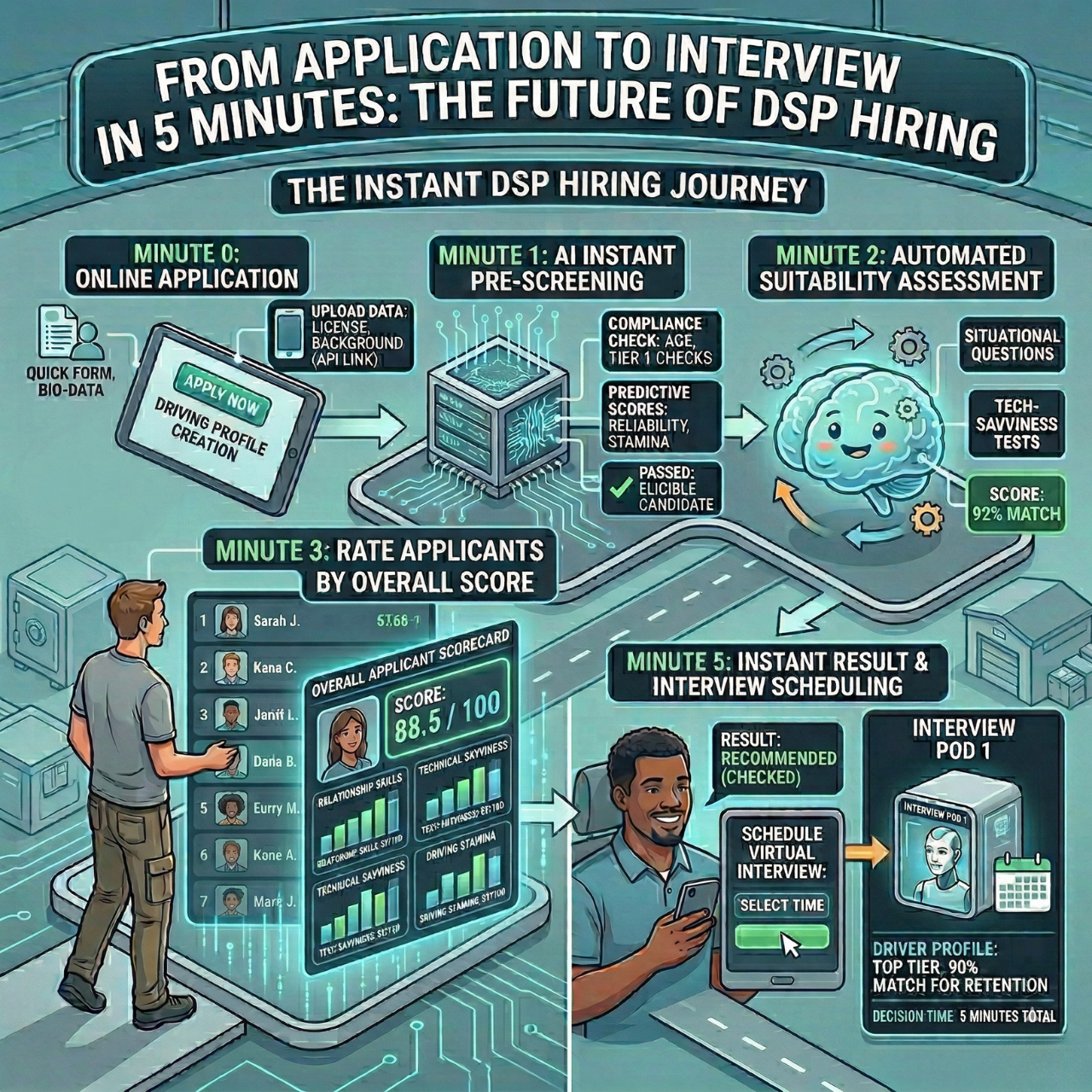
Scheduling interviews can eat up hours with endless emails and calendar wrangling. AI steps in by suggesting times automatically for you and the candidate.
Reminders go out via SMS or email, which can drop no-shows by up to 50%. That’s not nothing.
You save about 2.7 hours per hire just by automating scheduling. With 24/7 AI interviews, candidates can handle parts of the process when it works for them, keeping things rolling.
Predictive Analytics for Talent Matching
AI uses data from resumes, interviews, and past hires to predict who’s likely to succeed long-term. You get a feel for which skills or traits lead to lasting performance.
These analytics guide your workforce planning, so you know which roles need what qualities. That means less turnover and better retention.
Strategic Workforce Planning with AI
AI in workforce planning helps you predict hiring needs, spot skill gaps, and test out different hiring scenarios. You get to plan smarter, reduce risks, and keep your team’s skills lined up with your goals.
Workforce Forecasting and Succession Planning
AI tools look at your current employees, turnover rates, and market trends to forecast hiring needs. You’ll know when and where to add talent—no more guessing.
Succession planning gets simpler, too. AI highlights folks ready for promotion and spots gaps if key team members leave. No more scrambling at the last minute.
Skills Gap Analysis with AI
AI finds gaps between your team’s current skills and what you’ll need down the road. By digging into performance and training records it points out missing skills for upcoming projects or roles.
You can target hiring or training right where it matters. Keeps your workforce sharp and ready.
AI’s clear, unbiased assessments also support diversity, so you’re hiring fairly and effectively.
Scenario Modeling for Future Workforce Needs
Scenario modeling with AI lets you see how business changes impact your workforce. Maybe you’re expanding a department, launching a new product, or worried about staff shortages—AI shows you the hiring and training needs for each case.
You get options fast, so you can plan budgets and resources before things get urgent.
Ensuring Ethical and Compliant AI Hiring
Using AI in hiring means you’ve got to watch out for fairness, privacy, and legal stuff. You want your system to treat candidates equally, protect their data, and follow the rules. That’s how you build trust and keep your hiring process smooth.
Ensuring Fairness in Automated Decisions
Your AI hiring tool needs to avoid bias. It should judge candidates on skills and experience—not age, race, gender, or other irrelevant factors. Data-driven methods help you see what really matters for success.
Keep an eye on hiring rates across different groups to spot any issues. Transparency helps—candidates should know how decisions happen.
Privacy Considerations and Data Security
Protecting candidate data is huge. Your AI system collects plenty of personal info, so you have to keep it safe from leaks or hacks. Use encryption and strict controls. Be upfront with candidates about what data you collect and why. Don’t keep data longer than you need to.
Navigating Regulatory Requirements
Your AI hiring platform has to follow all the local and national laws—things like equal employment opportunity and data privacy. Regular audits help you stay on track.
Choose tools that are transparent about decisions and let you audit their algorithms. That way, you can fix problems early. Staying compliant keeps your hiring fair and your company out of hot water.
Adopting AI Solutions for Workforce Optimization
Picking the right AI tools and getting your team on board are crucial for better workforce planning. Automate routine hiring tasks, save time, and cut down on mistakes. But don’t forget—employee support is key for smooth adoption.
Selecting the Right AI Tools
Go for AI solutions that fit your hiring needs and play nice with your current systems. Look for things like automated resume screening, AI-driven scoring, and interview scheduling. These features save hours and help you spot stronger candidates.
Make sure the tool integrates easily with your ATS (Applicant Tracking System). That way, you’re not stuck entering data twice.
Here’s what to look for:
- Automation to reduce manual tasks
- Clear analytics to track progress
- Candidate engagement features to cut drop-offs
- Easy integration with your software
Change Management and Employee Buy-In
Rolling out AI tools means you need your team’s support. Explain how automation cuts the boring stuff, freeing people up to focus on quality hires. Show off the benefits—saving hours, reducing bias, all that.
Bring hiring managers in early. Train them so they feel comfortable using the AI, and make it clear the tech supports decisions, not replaces them. Keep the feedback loop open. Tweak things as you go, and be transparent about how the AI works to build trust.
Encourage an open attitude toward new tech by sharing quick wins, like fewer no-shows or a faster process.
Tips for buy-in:
- Train hiring teams well
- Communicate benefits (don’t just assume they see them)
- Get feedback and actually do something with it
- Highlight improvements in speed and candidate quality
Measuring Success and ROI of AI in Workforce Planning
If you want real value from AI in workforce planning, you’ve got to track what matters and keep tweaking your process. It’s not just about plugging in new tech—it’s about watching how AI actually changes your hiring quality, speed, and cost, then using that info to guide your next moves.
Key Performance Indicators and Metrics
To really see if AI’s pulling its weight, focus on a handful of clear metrics:
- Time to hire: Are roles getting filled faster now?
- Quality of hire: Do your new folks stick around and perform better?
- Cost per hire: Is automation cutting recruiting costs?
- Candidate engagement: Are fewer people dropping out or ghosting?
- Retention rates: Do hires picked by AI tend to stay longer?
Track these through your HR software, which spits out real-time reports. That way, you’re not guessing—you can actually see if those AI tools are worth it and spot places to adjust.
Continuous Improvement Strategies
Getting more out of AI is all about making small, steady tweaks as you go.
- Check in on candidate feedback and hiring results often.
- Adjust AI settings to prioritize skills or traits that really matter for long-term success.
- Let automation do more than just speed things up—use it to keep candidates engaged with quick, friendly updates.
- Mix AI insights with what your hiring team sees on the ground; don’t just trust the numbers blindly.
Future Trends in AI Hiring and Workforce Planning
The next wave of AI tools is changing the game for workforce planning and hiring. These tools aren’t just about finding resumes—they help you spot hidden skills, automate the mind-numbing tasks, and push you to rethink what HR can do. You’ll lean more on data to predict long-term success and find the right mix of human and tech smarts.
Emerging Technologies to Watch
AI’s moving way past basic resume screening. Natural Language Processing (NLP) is gaining ground, making it easier for systems to understand what candidates actually mean in their answers and on their resumes.
You’ll start seeing AI that plugs right into your HR systems, making the whole workflow smoother—from sorting applicants to scheduling interviews automatically.
Some big tech shifts to keep an eye on:
- Predictive analytics that flag which skills actually lead to long-term success
- AI-driven candidate engagement nudges via SMS and email to cut down on ghosting
- Voice engagement, so candidates can just talk naturally during AI interviews (yeah, that’s coming soon)
The Evolving Role of HR Professionals
AI isn’t here to take your job. If anything, it frees you up to do the stuff AI can’t—like reading people, making ethical calls, and telling your company’s story.
You’ll want to get comfortable reading AI-generated reports and using that data to steer your strategy. That means sharpening your skills in interpreting what the software spits out, and being aware of bias that can sneak into hiring tools.
Your job’s going to shift toward balancing tech know-how with good old-fashioned human judgment. That mix helps you make sharper decisions, faster.
AI can handle the repetitive parts—scheduling, screening, follow-ups—so you get more time to build relationships and make hires that really fit your culture.
Frequently Asked Questions
AI helps with workforce planning by tracking key skills, predicting who’ll stick around, and spotting hiring trends. It also speeds up screening and engagement, making the whole process less of a headache.
How does AI improve the efficiency of workforce planning?
AI digs through past hiring data to predict which skills actually lead to success and better retention. It takes care of resume screening and interview scheduling, saving your team a bunch of time.
What are the best practices for integrating AI into hiring processes?
Pick AI tools that play nice with your existing systems, like your ATS. Let AI handle early screening and candidate follow-ups, but keep humans involved for the final call.
Train your team to make sense of what AI is telling them, and keep an eye on results. Make regular updates to stay on track with your hiring goals.
Can AI platforms help reduce biases in the recruitment process?
AI can help cut down on unconscious bias by focusing on skills and experience instead of demographics. Automated scoring treats everyone the same, at least in theory.
But you’ll still want to check the AI models often to catch any bias that might creep in. Being clear about how AI evaluates candidates is important.
What are the potential risks of relying on AI for employee selection?
If you feed AI bad or incomplete data, it’ll just repeat those mistakes. Leaning too hard on automation can mean missing out on soft skills or cultural fit.
AI should back up your hiring decisions, not make them for you. Keep a balance between automation and personal judgment to avoid big mistakes.
How has AI in the workplace evolved by 2025 compared to earlier years?
AI hiring tools now handle more steps, like conversational interviews and SMS follow-ups. They connect better with workforce systems and give real-time analytics on where things stand.
Now, you can focus on strategy while AI deals with the routine stuff. Some platforms help cut ghosting and speed up hiring—sometimes by more than half.
What industries are seeing the most significant impact from AI in terms of workforce management?
Retail, healthcare, and tech—especially places that hire lots of people at once—seem to get the most out of AI right now. It’s handy for handling those wild seasonal spikes and sifting through huge piles of applications faster than any human could.
Manufacturing and customer service teams are catching on, too. They’re using automation for scheduling and candidate engagement, which helps cut down on no-shows and makes workforce allocation a bit less of a headache.
Plan Headcount. Cut Time-to-Hire. Reduce Ghosting.
Turn your pipeline into a forecast you can act on with HRMLESS—AI pre-screens 24/7, automates scheduling, and surfaces top fits with clear analytics.
What you’ll achieve
- Faster cycles: Shrink time-to-hire with 24/7 AI interviews and auto-booking.
- Higher quality: Criteria-based scoring lifts signal and reduces mis-hires.
- Fewer no-shows: Smart reminders and self-serve scheduling keep candidates engaged.
- Predictable planning: Real-time dashboards for headcount, funnels, and bottlenecks.
Featured

Subscribe to ournewsletter
Related posts
Explore the world of photography with our curated selection of
portfolio websites that showcase creativity and innovation.