

Find Top AI Recruitment Tools for Faster Hiring in 2026

Hiring today is slow, manual, and frustrating. Recruiters spend hours reviewing resumes, chasing interview availability, and losing candidates to silence. If you’re trying to find top AI recruitment tools, it’s usually because your current process can’t keep up with hiring demand.
HRMLESS helps teams remove that friction by automating screening, scoring, and scheduling in one workflow. Instead of juggling tools and inboxes, recruiters get faster shortlists, fewer drop-offs, and more time to focus on real conversations.
This guide explains what AI recruitment tools actually do, which features matter most, and how to choose the right platform for your team. You’ll see how leading tools work today and how to adopt them without disrupting your hiring process.
What Are AI Recruitment Tools?
AI recruitment tools use artificial intelligence and machine learning to help you find, screen, and hire candidates faster. These platforms automate time-consuming tasks and improve the matching of job openings to qualified applicants.
They work by analyzing huge amounts of data about candidates and job requirements. The software learns patterns from your successful hires and uses that info to predict which applicants might perform well in similar roles.
Key features include automated candidate sourcing that searches multiple job boards and databases at once. You also get intelligent screening that reviews resumes and applications based on specific criteria you set.
Many tools include chatbots that answer candidate questions and automatically schedule interviews. The platforms use skills-matching tech to compare candidate qualifications with job requirements so you can focus on the most relevant applicants instead of slogging through endless resumes.
How AI Is Transforming Recruitment
AI is changing recruitment by taking repetitive manual work off your plate. Tasks that used to take hours now happen in minutes.
The tech helps you reach more candidates by automatically posting jobs across multiple platforms. It can also find passive candidates who aren't actively looking but could be a great fit.
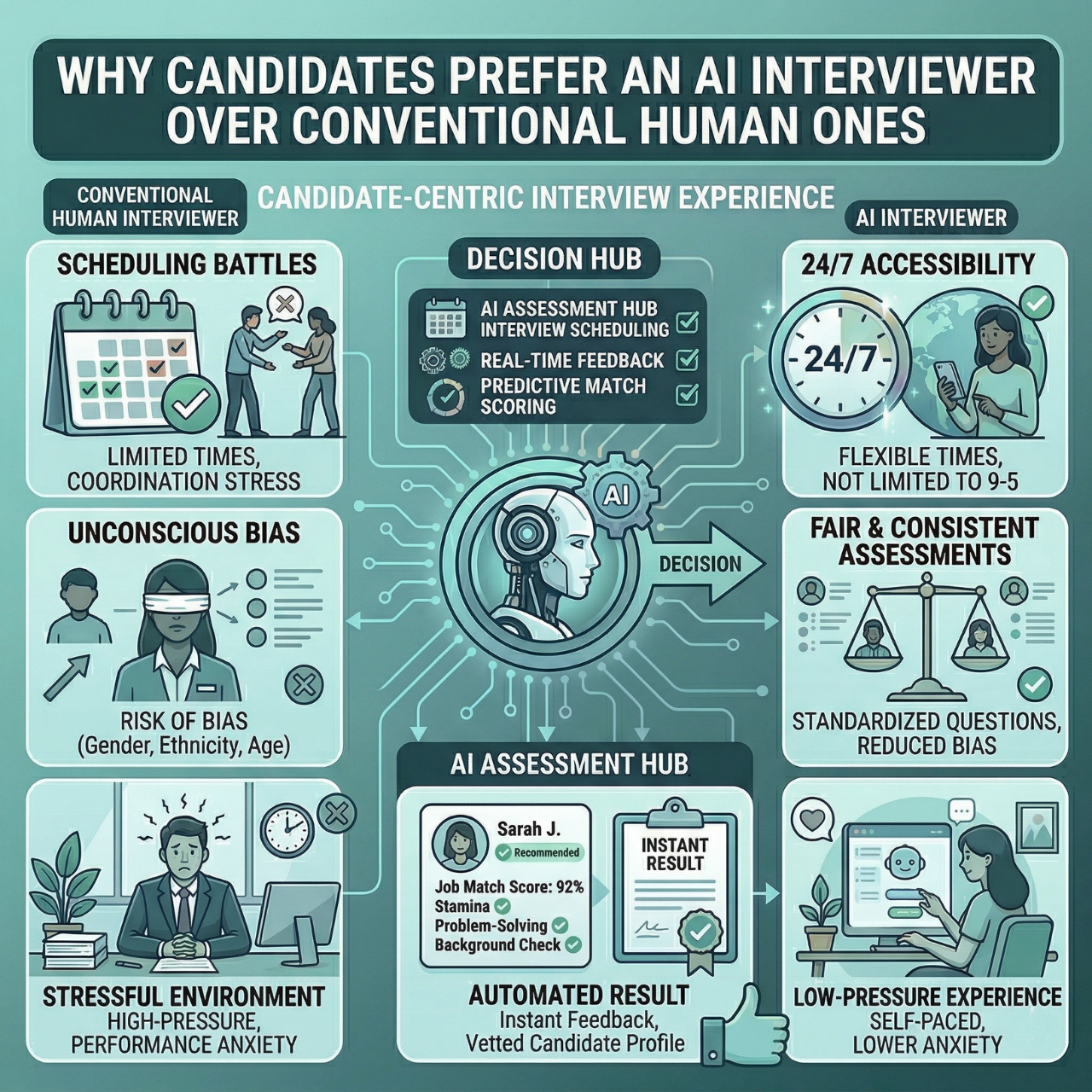
AI can help reduce unconscious bias in early screening by focusing on skills and qualifications rather than demographic information. The software evaluates everyone with the same criteria, so the screening process feels more consistent.
You can make faster hiring decisions because AI prioritizes the best matches and surfaces them first. This can reduce time-to-hire and help you connect with top talent sooner.
Types of AI Recruitment Tools
AI recruitment tools come in a few common categories. Knowing the types makes it easier to find top AI recruitment tools that match your workflow.
- Candidate sourcing tools: Search job boards, social media, and professional networks to find potential candidates. These platforms build talent pools automatically based on the skills and experience you need.
- Screening and matching software: Reviews applications and resumes to identify the best candidates and ranks applicants based on how well they match your job requirements.
- Interview automation platforms: Use chatbots and recorded-video workflows to conduct initial candidate assessments. Some tools also analyze communication patterns during recorded interviews.
- Job description optimization tools: Help you write better job postings that attract qualified candidates and can help reduce bias by flagging language that may discourage certain applicants.
- Analytics and reporting systems: Track hiring metrics and show where candidates drop off in your process so you can improve your recruitment strategy over time.
How to Find Top AI Recruitment Tools
Finding the right AI recruitment tool starts with knowing what you actually need. You’ll want to focus on features, compare multiple platforms, and pay attention to what other recruiters say.
Key Selection Criteria
Start by figuring out your hiring volume, team size, and budget. Don't get distracted by features you won't use.
Look for automation that matches your workflow. Some tools are great at resume screening and candidate sourcing, while others are strongest in interview scheduling or candidate engagement. Prioritize what solves your biggest headaches.
Check whether the tool integrates with your existing systems. Your AI recruitment software should connect with your ATS (applicant tracking system), email, and calendar. If it doesn't, you might end up with more work, not less.
Consider the user interface and learning curve. A powerful tool is not helpful if your team avoids using it. Most platforms offer free trials, so test the experience.
Scalability and pricing matter. Pick something that can grow with you without wrecking your budget. Some platforms charge per user, others by the number of candidates processed, job slots, or feature tiers.
Researching and Comparing Tools
Make a shortlist of 5–8 tools that seem to fit your needs. Use comparison sites and software review platforms to trim the list.
A spreadsheet helps keep things straight. Track:
- Pricing model
- Core features
- ATS and calendar integrations
- Security and compliance basics
- Support options
- Free trial or pilot availability
Visit each vendor’s website and check whether they serve your industry or company size. Some tools are built for tech hiring, others for healthcare, retail, or high-volume roles.
Request demos from your top 3–4 picks. Ask to see how the tool handles your real workflows. Come prepared with questions about data security, support, and time to launch.
During free trials, upload real job descriptions and anonymized resumes. See how the AI performs in practice and track time saved and shortlist quality.
Reading Reviews and Case Studies
Look for reviews from recruiters in similar industries or companies of similar size. A tool that works for a large enterprise might not fit a small team.
The best reviews include outcomes such as improvements in time-to-hire, candidate quality, or cost-per-hire. Vague praise is less useful.
Read negative reviews carefully. Repeated issues like poor support, confusing billing, or unreliable integrations can be deal-breakers.
Check vendor case studies for stories from companies with challenges like yours. If possible, ask vendors for customer references and speak with recruiters who use the tool day to day.
Leading AI Recruitment Tools for 2026
The AI recruitment software market is crowded, with platforms offering automation for sourcing, screening, and engagement. These tools aim to reduce time-to-hire and improve candidate quality.
Overview of Industry Leaders
A handful of established platforms lead the AI recruitment space. These are names you’ll hear most often.
Nova by Peoplebox.ai is known for its data-driven approach. It integrates with existing HR systems and offers intelligent candidate matching.
Juicebox claims it can help you find qualified candidates up to 70% faster than manual methods. It automates sourcing and surfaces candidates you might otherwise miss. Other major platforms support job posting, resume screening, candidate ranking, and interview scheduling. They are designed to work with your team, not replace human judgment.
Most of these tools integrate with popular ATS platforms, so you don't have to overhaul your workflow just to use AI.
Emerging Solutions to Watch
New AI recruitment tools keep popping up, often with fresh ideas.
Some focus on reducing bias during screening by analyzing job descriptions and flagging language that may discourage certain candidates.
Others focus on candidate engagement and communication. Chatbots answer common questions and keep candidates updated so you don’t have to.
A few startups are building AI specifically for technical recruiting, including better skill assessments for coding and technical knowledge than a resume alone can show.
Comparison of Core Features
Feature
What It Does
Why It Matters
Automated Sourcing
Finds candidates across multiple platforms
Saves hours of manual searching
Resume Screening
Reviews applications and ranks candidates
Processes high volume quickly
Candidate Matching
Compares skills to job requirements
Improves shortlist quality
Interview Scheduling
Coordinates calendars automatically
Cuts back-and-forth emails
Analytics Dashboard
Tracks hiring metrics and bottlenecks
Helps optimize your process
Most tools share core capabilities, but the details matter. Some excel at sourcing passive candidates from social networks, while others are better at skill assessment and ranking.
Pricing models vary. Some charge per user per month, others charge per job slot, per candidate, or per hire. Your hiring volume affects what makes sense.
Integration matters if you already use other HR software. Confirm the tool connects with your ATS, calendar, and communication platforms before you commit.
Benefits of Using AI Recruitment Tools
AI recruitment tools can save you time and help you make better decisions about candidates. They can also help reduce bias and improve the process for job seekers.
Improving Hiring Efficiency
AI tools can cut hiring time by automating tasks that usually take hours or days. Around 87% of companies use AI in recruitment now, mostly because it speeds up screening and reduces manual work.
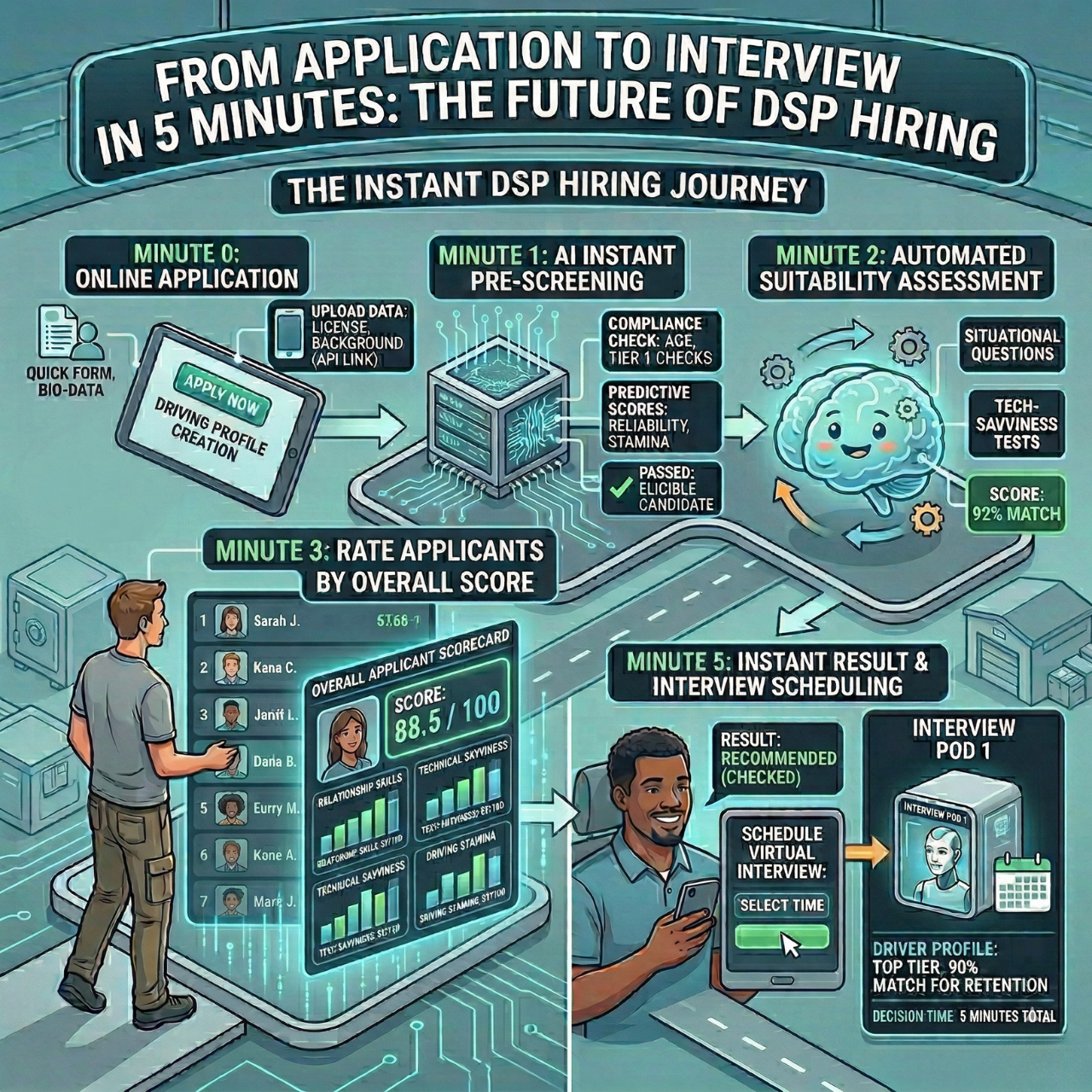
You can scan hundreds of resumes in minutes. The tech matches skills and experience to your job requirements automatically.
Big time-savers include:
- Automated resume screening and parsing
- Instant candidate ranking based on qualifications
- Quick interview scheduling (fewer emails)
- Faster communication through chatbots
More than 65% of recruiters say AI tools help them hire faster. You spend less time on repetitive tasks and more time talking to strong candidates.
Reducing Bias in Hiring
AI tools can help make early screening more consistent by focusing on skills and qualifications, not names or background.
Some tools hide demographic info during initial reviews so you can focus on abilities and experience.
How AI can help reduce bias:
- Removes identifying info from resumes
- Uses consistent criteria for all applicants
- Focuses on job-relevant skills
- Provides data-driven rankings
AI tools are not perfect. If trained on biased historical data, they can repeat those patterns. You still need oversight and periodic auditing of your criteria.
Enhancing Candidate Experience
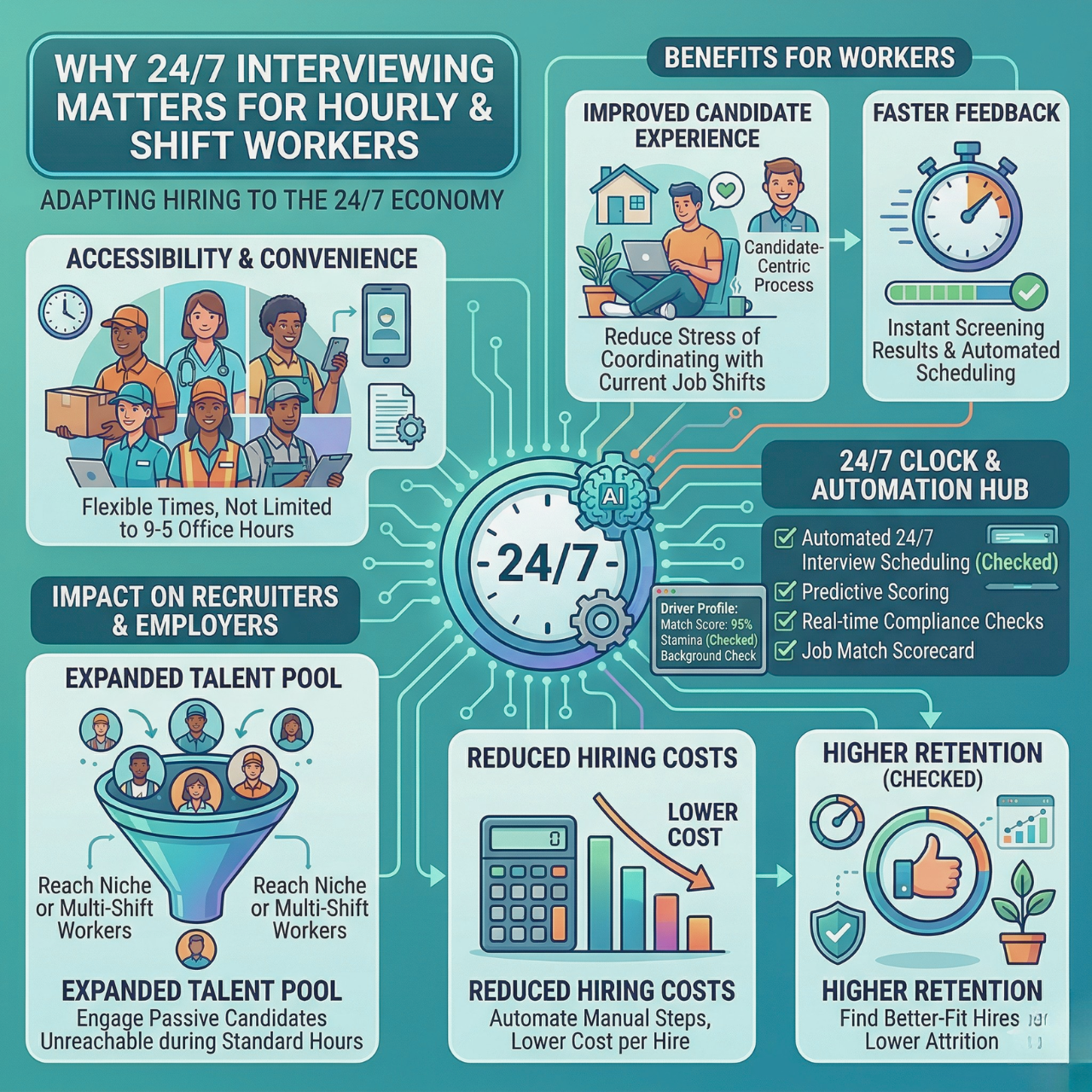
AI tools can improve the candidate experience with quicker responses and clearer communication. Candidates want updates, not weeks of silence.
Chatbots answer common questions instantly and at any time of day. That keeps candidates informed and reduces drop-off. Scheduling can be easier, too. Candidates can choose interview times without long email threads.
A smoother experience often includes:
- Instant answers to FAQs
- Regular status updates
- Easy interview scheduling
- More personalized communication
Candidates stay more engaged when they get timely feedback. Automated updates at key stages help applicants understand where they stand.
Integrating AI Recruitment Tools Into Your Workflow
Bringing AI recruitment tools into your hiring process takes planning, training, and a bit of trial and error. A thoughtful rollout helps avoid confusion and keeps candidate experience strong.
Steps for a Smooth Implementation
First, identify the biggest pain points. Where does your team lose the most time? Resume screening, candidate communication, and interview scheduling are common culprits.
Pick one or two processes to automate first. Don’t try to change everything overnight. Let your team adjust and monitor results.
Connect your AI tools with your existing systems, like your ATS, email, and calendar. Most AI recruitment tools offer integrations. Customize workflows, scoring, and templates so the tool fits your company.
Test with a small group of candidates before you roll out widely. Use real applications and tweak your settings as needed.
Set clear guidelines for when to use AI and when a human steps in. Document the new process so everyone follows the same workflow.
Training Your Team
Your recruiters need hands-on practice before using new tools with real candidates. Schedule training sessions, starting with the basics and moving to advanced features.
Show how the tool makes work easier by focusing on outcomes: time saved, better shortlists, and fewer scheduling delays.
Address concerns about replacement directly. The goal is to automate repetitive tasks so recruiters can build relationships and make final decisions.
Assign a point person as the internal expert. A short reference guide with step-by-step instructions helps keep adoption consistent.
Measuring Success and ROI
Track metrics to see if your AI tools are working:
- Time-to-fill
- Cost-per-hire
- Candidate quality scores
- Interview-to-offer ratios
Compare results before and after adoption. A simple dashboard can keep your most important metrics in one place.
Check weekly during the first month. After things stabilize, monthly reviews are usually enough.
Estimate ROI by comparing tool costs to time saved and reduced errors. Consider fewer hours spent screening, fewer missed candidates, and improved recruiter productivity.
Ask your recruiting team for feedback and survey candidates about automated updates and scheduling. If something feels off, adjust settings, criteria, or messaging.
Hire Faster Without Burning Out Your Team
Manual hiring slows teams down and costs great candidates. AI recruitment tools help automate screening, scheduling, and communication so recruiters spend less time chasing tasks and more time hiring the right people.
HRMLESS supports this shift by helping teams reduce delays, improve candidate flow, and keep hiring moving without adding complexity or extra workload.
Ready to fix hiring bottlenecks? Book a Demo and see how automation can simplify your recruitment process.
Frequently Asked Questions
What are AI recruitment tools?
AI recruitment tools are software platforms that use artificial intelligence to automate parts of the hiring process. They help with tasks like sourcing candidates, screening resumes, scheduling interviews, and ranking applicants based on job fit.
Why are companies trying to find top AI recruitment tools now?
Hiring volumes are higher, candidates expect faster responses, and manual processes slow teams down. Companies want to find top AI recruitment tools to reduce time-to-hire, avoid recruiter burnout, and keep strong candidates from dropping out.
Can AI recruitment tools work with my existing ATS?
Most modern AI recruitment tools integrate with popular applicant tracking systems, calendars, and email tools. This allows candidate data and hiring stages to sync automatically without extra manual work.
Are AI recruitment tools only for large companies?
No. While enterprise teams often use advanced platforms, many tools offer flexible pricing or free tiers for small and mid-sized teams. The best option depends on hiring volume, roles, and budget.
How do AI recruitment tools help reduce bias?
AI tools can help reduce bias by focusing early screening on skills and qualifications instead of names or background details. Some tools also flag biased language in job descriptions, though human oversight is still important.
Do AI recruitment tools replace recruiters?
AI recruitment tools are designed to handle repetitive tasks, not replace people. Recruiters still make final decisions, conduct interviews, and build relationships with candidates.
How long does it take to see results after implementing AI recruiting software?
Many teams see time savings within the first few weeks, especially in resume screening and scheduling. Measurable improvements in hiring speed and candidate experience usually show up within one to three months.
What should I prioritize when choosing an AI recruitment tool?
Focus on your biggest hiring pain point first, such as screening overload or slow scheduling. Then look for ease of use, integrations, scalability, and transparent pricing before committing.
Featured

Subscribe to ournewsletter
Related posts
Explore the world of photography with our curated selection of
portfolio websites that showcase creativity and innovation.