

Smart Recruitment Software for Faster, More Accurate Hiring

Hiring moves fast, but your team’s time is limited. Smart recruitment software automates pre-screening, scoring, and scheduling. The result is less manual work and a pipeline that advances qualified candidates sooner.
With HRMLESS, automation meets clear workflows that reduce ghosting and drive consistent evaluations. You get speed, accuracy, and fairness without adding tools or headcount. Real-time analytics show what’s working and where to improve.
In this guide, you’ll learn what smart recruitment software is, the features that matter, and how it compares with legacy tools. We’ll cover integrations, training, analytics, and ROI. You’ll leave with steps to implement confidently.
What Is Smart Recruitment Software?
Smart recruitment software uses AI and automation to speed up hiring, reduce bias, and improve candidate quality. It helps you screen, score, and schedule candidates automatically.
This software also integrates with your existing HR tools and tracks key hiring metrics in real time.
Key Features That Define Smart Recruitment Software
Smart recruitment software includes several core features that make hiring faster and easier for you:
- AI Pre-Screening: Candidates can complete interviews anytime, saving you time.
- Automated Scoring: The software ranks candidates based on skills and fit.
- Scheduling Automation: It books interviews only with engaged candidates, reducing no-shows.
- Multi-Channel Engagement: SMS and email reminders keep candidates moving through the process.
- ATS Integration: Works smoothly with your current applicant tracking system.
- Analytics Dashboard: Track time-to-hire, bottlenecks, and candidate engagement in one place.
These features let you focus on the best candidates without doing manual follow-ups or sorting.
Comparisons With Traditional Recruiting Tools
Traditional recruiting tools often require manual work like sorting resumes, emailing candidates, and scheduling interviews. This slows down hiring and increases mistakes.
Smart recruitment software replaces these tasks with automation. It removes delays by nudging candidates instantly and scoring them objectively.
You avoid bias with consistent AI screening. Unlike older tools, smart software can handle multiple job boards and recruitment channels in one platform.
This means you get a wider, more qualified candidate pool with less effort.
Types of Smart Recruitment Solutions
There are several types of smart recruitment software solutions designed to fit your needs:
- AI-powered Applicant Tracking Systems (ATS): Automate candidate tracking and scoring throughout the hiring cycle.
- Automated Interview Platforms: Use conversational AI to conduct 24/7 pre-screening interviews on candidates’ schedules.
- Candidate Relationship Management (CRM): Manage and engage talent pools with automated messaging.
- Scheduling Tools: Automatically coordinate interview times and reduce no-shows.
Your choice depends on your team size, volume of hiring, and complexity of jobs. Many platforms combine these features in one place, helping you automate screening, interviewing, and scheduling without extra hassle.
Core Benefits of Smart Recruitment Software
Smart recruitment software transforms your hiring by saving time, improving candidate interactions, and ensuring better hires. It uses AI and automation to handle tasks that usually slow down the process or lead to poor decisions.
Increased Hiring Efficiency
You can cut hours from your hiring process using smart recruitment software. Features like automated pre-screening and scoring quickly identify the best candidates, so you don’t waste time on unqualified applicants.
Scheduling interviews is also simplified. Automated tools reduce no-shows by inviting only engaged candidates to book times.
Enhanced Candidate Experience
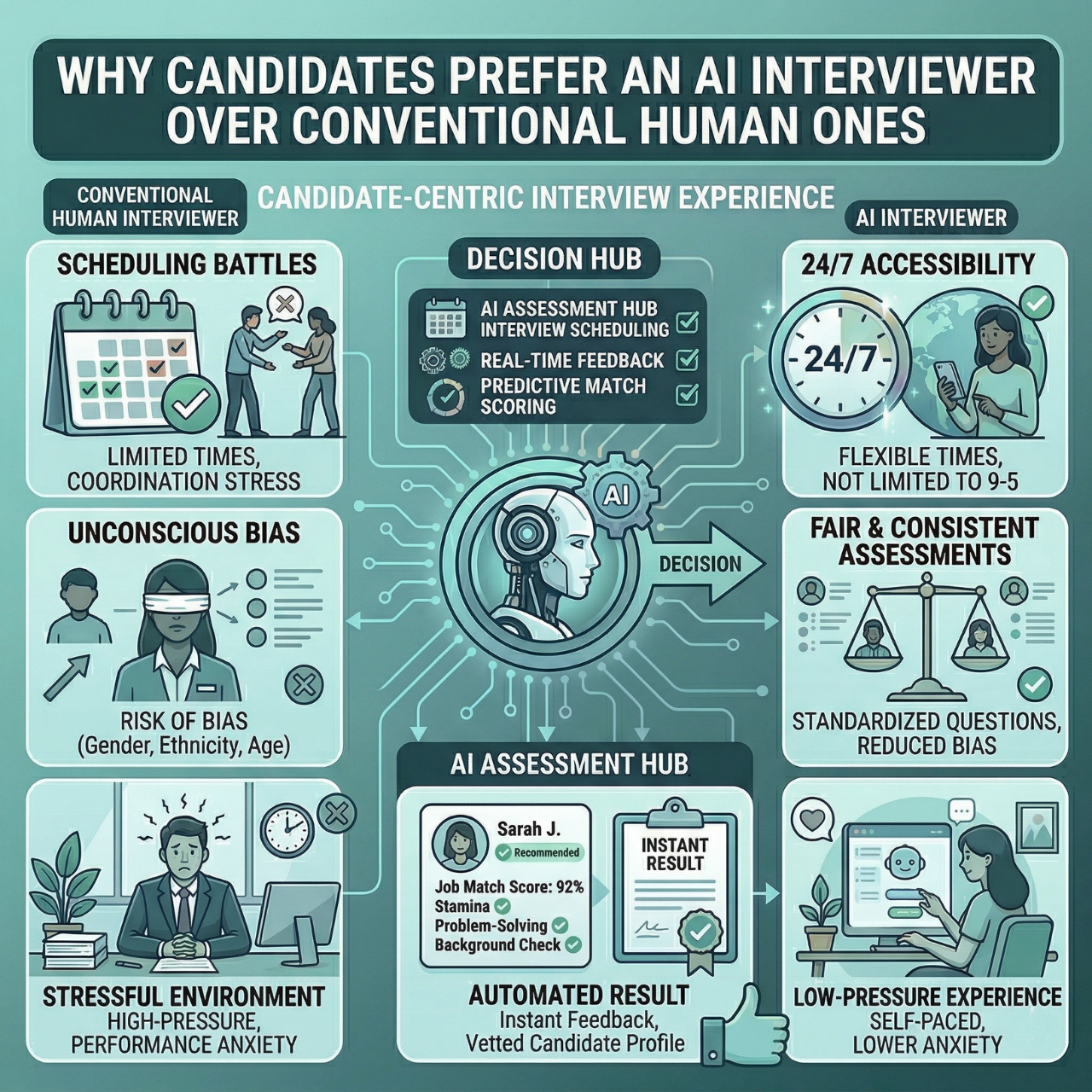
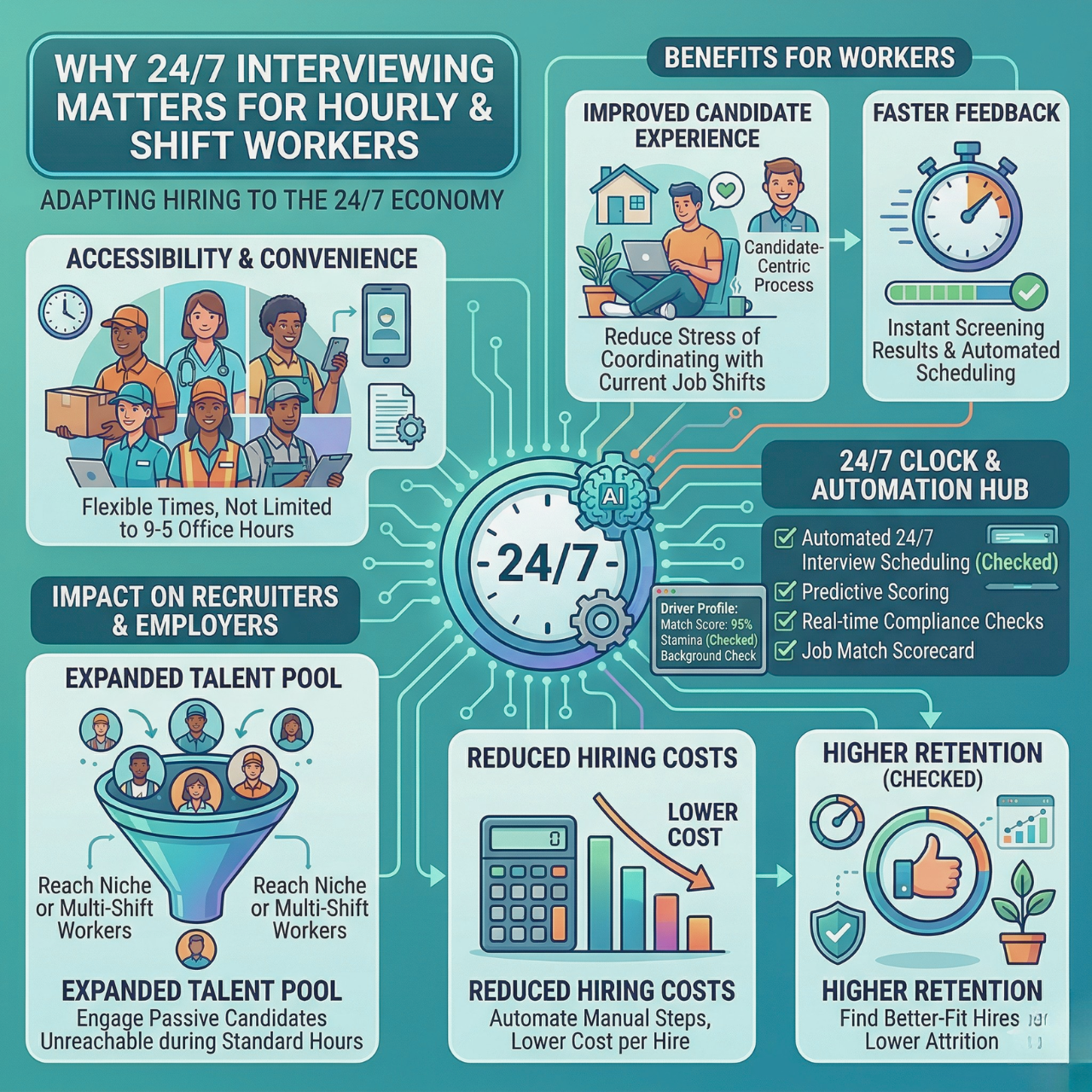
Your candidates get a smoother, friendlier experience with smart recruitment software. AI-powered pre-screening lets them complete interviews anytime, on their schedule. This flexibility keeps top talent engaged and reduces ghosting.
Automated messaging via SMS and email keeps candidates informed without making your team do extra work. Quick responses build trust and encourage better participation. A clear, easy process reflects well on your company and helps you attract quality talent for every job opening.
Improved Quality of Hire
Smart recruitment software uses data-driven scoring to bring forward only the best applicants. By filtering and ranking candidates based on skills and experience, you avoid bias and subjectivity.
This leads to hiring decisions tied directly to qualifications, increasing the chance of long-term success.
You get real-time analytics to spot bottlenecks or areas needing attention. This continuous insight helps refine your process and consistently improve the quality of your hires.
AI-Driven Functionality in Recruitment
Smart recruitment software uses AI to handle key tasks like screening resumes, matching candidates to jobs, and predicting hiring success. These tools save you time and help find better candidates faster.
Resume Screening Automation
AI tools can scan and rank resumes automatically. This means you no longer sift through hundreds of applications manually.
The software looks for keywords, skills, and experience that match your job description. It then scores candidates based on how well they fit.
This process reduces bias by focusing only on relevant details. It also speeds up your hiring by quickly filtering out unqualified applicants.
Automated pre-screening interviews can run continuously, so candidates move forward only if they meet your criteria. This lets you focus on the best fits without delay.
Candidate Matching Algorithms
AI uses data and patterns to match candidates with the right roles. It considers skills, work history, and even cultural fit to recommend top talent.
These algorithms rank candidates beyond keywords, factoring in past performance and potential success. This means you get suggestions tailored to your specific needs.
Many smart platforms let you customize the matching criteria, adjusting match scores based on your priorities to help you scale hiring smoothly as your team grows.
Predictive Analytics in Recruiting
Predictive analytics uses historical hiring data to forecast how candidates might perform. By analyzing past hires, the AI can suggest which candidates are likely to succeed.
This helps reduce turnover and improve long-term employee quality. You can also spot bottlenecks in your process and see which roles take longer to fill.
This insight helps you make better hiring decisions faster. Tracking these metrics in real time keeps your recruitment agile. With AI-powered dashboards, you get clear views of candidate flow and engagement levels, enabling you to automate hiring efficiently.
Integrations and Compatibility
Smart recruitment software connects smoothly with other tools you use daily. It makes hiring faster by sharing data and automating steps. Secure connections and adaptable APIs keep your workflows running without hassle.
Connecting With HR Management Systems
Smart recruitment software links directly to your HR management systems (HRMS) and applicant tracking systems (ATS). This connection means you won’t need to manually move candidate info or job postings.
Key benefits include:
- Automatic syncing of candidate profiles and hiring data
- Real-time updates on application status
- Reduced errors from duplicate data entry
- Support for pre-built integrations and customizable connectors
A flexible system should fit your existing HR tools. Whether your HRMS handles payroll, performance, or employee records, smart recruitment software keeps all parts talking and working together seamlessly.
API Capabilities and Data Security
API (Application Programming Interface) capabilities let you customize how your recruitment software interacts with other programs. This includes data sharing, custom workflows, and extending features without extra coding knowledge.
Important points for you:
- APIs support one-way or two-way data flows depending on your needs
- You can automate tasks like candidate scoring or interview scheduling
- Data security is built in with encryption and compliance controls
- User access levels keep sensitive information safe
By choosing software with strong API support and security, you ensure your hiring process stays fast and reliable without exposing your data to risk.
Customization and Scalability
Your recruitment software should fit how you work and grow. It needs to bend to your unique hiring steps and expand smoothly as your team or hiring volume changes without causing delays or extra costs.
Configurable Workflows
You want to make your hiring process efficient and fair. Customizable workflows let you set specific stages, from screening to interviews, that match your company’s style. This means you can automate scheduling, reminders, and candidate status updates.
Scheduling interviews only with top candidates helps cut no-shows. You can also personalize email templates and candidate communications so they reflect your brand. This keeps candidates engaged and informed without manual work.
Configurable workflows reduce bottlenecks and ghosting by keeping everything moving automatically, letting your team focus on decisions, not busywork.
Adapting to Business Size and Needs
Your hiring demands will change as your company grows or shifts. Scalable software handles more candidates, users, and data with no drop in speed or reliability.
It should support small startups with just a few open roles as easily as large enterprises managing hundreds of hires across different departments.
The system adjusts resources based on traffic, so you pay only for what you use. This flexibility means you won't outgrow your recruitment tool.
It helps you stay fast and efficient, whether you're hiring one person or hundreds.
Implementation and Onboarding
Successful use of smart recruitment software depends on clear steps for deployment and careful team training. Setting up the software right and preparing your team to use it confidently will keep your hiring process smooth and efficient.
Steps for Deploying Smart Recruitment Software
Start by identifying your key hiring needs and goals. Choose software features that fit those needs, like AI pre-screening or automated scheduling.
Next, integrate the system with your current HR tools, such as your ATS or HRIS, to avoid duplication and create a seamless workflow. Test the software thoroughly before launch.
Run a pilot with limited users to spot issues and gather feedback. Assign clear roles within your team to manage the software and support users.
Ensure data security and compliance practices are in place. Finally, roll out the software with clear timelines. Communicate what to expect and provide easy access to help and resources.
Best Practices for Training Teams
Focus training on how the software saves time and improves candidate quality. Show your team how features like SMS engagement or AI interviews work in daily tasks.
Use short, hands-on sessions instead of long lectures. Provide real examples and let team members practice on the platform.
Encourage questions and share tips on handling common challenges, such as reducing ghosting or interpreting AI scores. Offer ongoing support through quick guides, FAQs, and a dedicated contact person for help.
Track team progress and software adoption with real-time analytics to adjust training if needed.
By preparing your team with focused training, you ensure everyone uses the platform effectively from day one.
User Experience and Accessibility
Smart recruitment software must be easy to use and accessible anytime, anywhere. You need a platform that fits your fast-paced hiring needs while reaching candidates in different locations and languages.
Mobile and Cloud-Based Access
Accessing recruitment software on the go is critical. Cloud-based platforms let you manage hiring from any device with an internet connection.
This means you can review candidates, schedule interviews, or adjust workflows whether you're at your desk or traveling. Mobile-friendly design ensures the experience is smooth on smartphones and tablets.
You won’t be stuck using clunky interfaces that slow down your work. Real-time updates keep your team aligned by showing the latest candidate data simultaneously. This avoids confusion and keeps everyone on track without manual syncing or delays.
Multi-Language Support
Recruiting across different languages can be a barrier if your software only works in one. Multi-language support expands your reach to diverse talent pools by offering interfaces and communications in various languages.
This feature helps candidates feel comfortable and engaged, improving their experience from application to interview. It also reduces the chance of miscommunication, which is vital in hiring decisions.
For you, this means widening talent access without extra manual translation work. Tools that automatically adapt to candidate language preferences save time and create a more inclusive hiring process.
Recruitment Analytics and Reporting
Recruitment analytics helps you use data to make better hiring choices. It shows where your process works and where it needs fixing.
This gives you clear numbers to improve speed and quality without guesswork.
Data-Driven Decision Making
Using data means you rely on facts, not feelings, when hiring. Recruitment analytics collects information from every step, like where candidates come from and how long they stay in each stage.
This helps you spot what works best, such as which job boards bring the best talent or which steps slow down hiring. With this data, you can adjust your process to save time and avoid costly mistakes.
For example, if you see a high drop-off in interviews, you might change your scheduling or communication. Automated scoring helps you focus only on the strongest matches.
Real-Time Dashboards and Metrics
Dashboards give you an instant look at your hiring health. These visual tools update in real time, showing key numbers like time-to-hire, cost-per-hire, and candidate conversion rates.
You can quickly see where candidates get stuck or which sources bring the best results. Real-time metrics let you act fast.
If you notice delays, you can fix them before losing candidates. A clean, clear dashboard lets your team stay aligned without digging through spreadsheets.
Cost Considerations and ROI
When choosing smart recruitment software, you want to understand how pricing works and how to measure the value it brings to your hiring process. This helps you pick the right plan and see the real savings and efficiency gains you get.
Pricing Models and Feature Tiers
Recruitment software costs vary based on the size of your business and the features you need. Most vendors offer tiered plans like Launch, Growth, Pro, and Enterprise.
Plan Type
Typical Features
Who It’s For
Cost Factor
Launch
Basic AI pre-screening, job posting
Small teams
Low monthly fee
Growth
Adds automated scheduling, SMS nudges
Mid-size companies
Medium monthly fee
Pro
Full analytics, ATS integration
Large teams
Higher monthly fee
Enterprise
Custom features, API access
Enterprises
Custom pricing
You save time and reduce errors with automation in every tier. Automation frees you from repetitive tasks and can cut hours per hire.
Calculating Returns on Investment
ROI measures how much benefit you get compared to what you spend on the software. Include costs like subscription fees, setup, training, and any hidden charges.
Look at these key ROI factors:
- Time saved: Automation reduces manual work, letting your team focus on higher-value tasks.
- Lower hiring costs: Less need for external agencies or overtime.
- Better quality hires: AI filters out unqualified candidates early, reducing turnover costs.
- Reduced ghosting: Automated engagement via SMS and email keeps candidates committed, lowering no-shows by up to 50%.
Using a recruitment ROI calculator can help you forecast savings and improvements before buying.
Future Trends in Smart Recruitment Software
Smart recruitment software is getting faster and more efficient. New tools and AI systems are shaping how you find and hire top candidates.
These advances focus on improving candidate experience while cutting down your workload.
Emerging Technologies and Innovations
Technology like video interviewing and gamification is changing the way you assess candidates. Video tools let candidates record answers on their own time, speeding up initial screening. Gamification makes assessments more engaging and can reveal skills in an interactive way.
Predictive analytics also helps you forecast which candidates will succeed by analyzing past hiring data. Another key development is immersive assessments using virtual reality or simulations. These give a realistic preview of job tasks, helping you find candidates who fit your needs better.
Automation now extends to scheduling interviews and sending reminders, which helps reduce no-shows. By integrating these features, your hiring process becomes smoother and saves significant time.
Evolving Role of Artificial Intelligence
AI boosts every step of recruitment. It screens resumes by matching keywords and ranks candidates based on skills and experience.
This helps you focus on the best fits. Conversational AI allows candidates to complete interviews anytime on their own schedule.
It asks questions, scores answers, and filters applicants to reduce bias. AI engagement tools send timely SMS and email nudges to keep candidates interested.
This reduces ghosting during hiring. With AI handling pre-screening, scoring, and scheduling, you save hours per hire. Integrations with ATS systems let you automate smoothly. This happens without disrupting what you already use.
Next Steps To Streamline Hiring
Smart recruitment software cuts manual work, accelerates screening and scheduling, and improves decision quality. With real-time analytics and consistent evaluations, teams move faster, reduce ghosting, and raise the bar on candidate experience.
HRMLESS unifies AI interviews, automated scoring, and ATS-friendly workflows so your team fills roles sooner with clearer data and less friction.
Ready to modernize your funnel? Book a demo, start a free trial, or connect your ATS for a free audit to see the impact on your next hiring cycle.
Frequently Asked Questions
What Is Smart Recruitment Software?
Smart recruitment software uses AI and automation to pre-screen, score, schedule, and engage candidates. It streamlines repetitive tasks, shortens time-to-hire, and supports more consistent, fair evaluations. Teams gain a clearer view of pipeline health with real-time dashboards.
How Does It Integrate With an ATS?
An applicant tracking system (ATS) is your database for jobs and candidates. Smart recruitment software connects via native integrations or APIs to sync postings, statuses, and profiles. This reduces duplicate data entry and keeps hiring workflows in one place.
Can It Reduce Candidate Ghosting and NCNS?
Yes. Automated reminders and self-serve scheduling keep candidates engaged and informed. NCNS (no call, no show) rates drop when only engaged applicants can book slots and receive timely confirmations. Clear, consistent updates reduce friction across channels.
How Does AI Scoring Improve Quality of Hire?
AI models rank candidates against role requirements using structured signals like skills and experience. This helps minimize bias by applying consistent criteria and surfaces strong fits sooner. Recruiters spend time on high-value conversations instead of manual screening.
Which Metrics Should We Track First?
- Time-to-apply, time-to-interview, time-to-offer
- Candidate conversion rates by stage and source
- No-show and withdrawal rates
- Quality-of-hire proxies (new-hire retention, ramp time)
- Hiring manager satisfaction and offer acceptance rate
Featured

Subscribe to ournewsletter
Related posts
Explore the world of photography with our curated selection of
portfolio websites that showcase creativity and innovation.