

How AI Tools Manage Multiple Roles in Hiring
.jpg)
Hiring for several roles at once strains your team and your timelines. AI tools manage multiple roles by automating pre-screening, scoring, and scheduling. The promise is faster cycles, less chaos, and better candidates.
HRMLESS applies 24/7 AI interviews, fair scoring, and smart scheduling so top applicants move first. You get speed, efficiency, and quality without adding headcount or extra hours.
In this guide, you’ll see where AI fits in your process, how to measure impact, and what features matter most. We’ll cover best practices, common pitfalls, and a simple plan to fast-track hiring across many roles.
Understanding AI Tools for Multiple Role Management
Handling several job openings at once? That’s a challenge. You need tools that help you screen, schedule, and keep candidates in the loop—quickly and without headaches.
What Are AI Tools for Managing Multiple Roles?
AI tools for managing multiple roles are software that automates large portions of the hiring process. They screen resumes, score candidates, and schedule interviews—no extra effort from you.
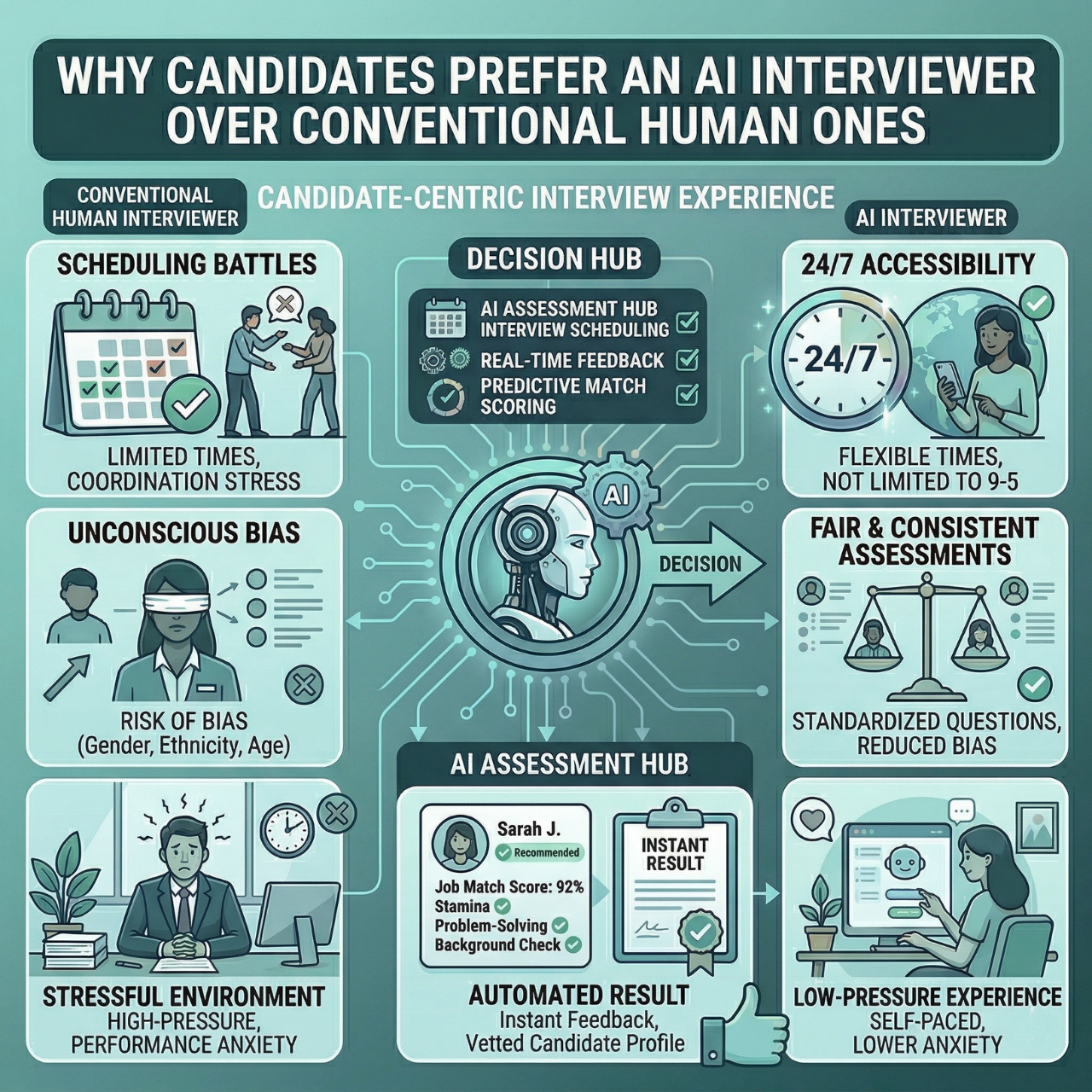
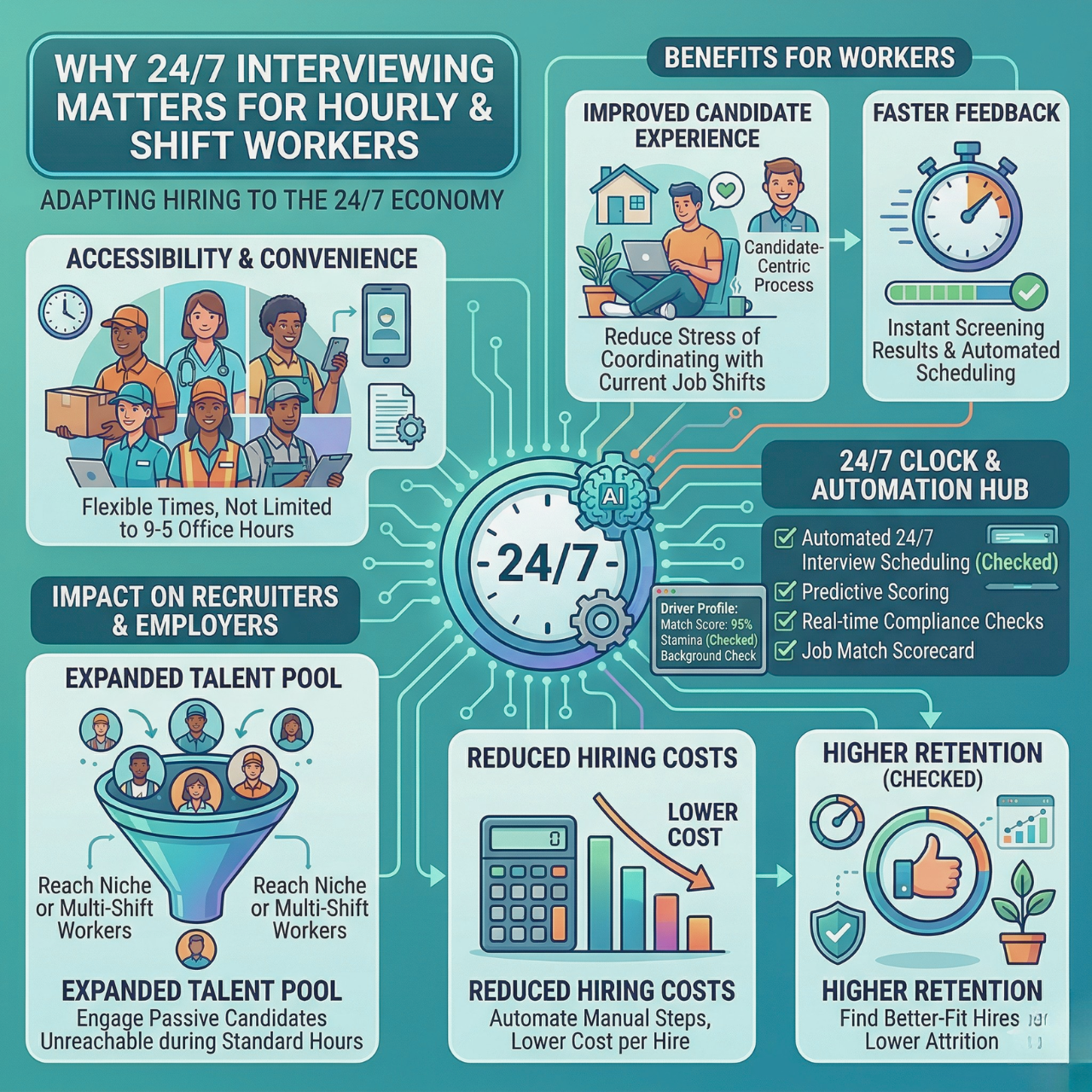
These tools run 24/7, so candidates can interview whenever it works for them. That speeds things up, even when you’re hiring for a lot of roles. They also help reduce bias by scoring fairly, so you can focus on the best fits.
Key Benefits of Using AI Tools
AI tools save you real time by automating repetitive chores like resume review and interview setup. You might shave off 2.7 hours per hire and cut your time-to-hire by over 60%.
They also boost candidate quality. Automated scoring pushes only the best applicants forward. And thanks to messaging tools, ghosting drops, and candidates stay in the loop and engaged.
AI tools scale up your hiring without adding stress. Whether it’s two roles or twenty, the system flexes and keeps things running smoothly.
Overview of Role Complexity in Modern Workplaces
Modern jobs are a mashup of skills and responsibilities. That makes hiring tricky—each role demands something different.
AI tools help by customizing screening and scoring for each job. You can set them to look for specific skills or experience, so you don’t waste time on mismatched resumes.
Hiring gets more precise. Instead of a cookie-cutter process, AI adapts to each position, letting you focus only on the right candidates from the start.
Core Features of AI Tools to Manage Multiple Roles
Juggling several roles? There’s a lot to track: tasks, schedules, people. AI tools help by distributing work, keeping things secure, supporting teamwork, and nudging you about deadlines and meetings.
Automated Task Allocation
AI divvies up tasks based on workload and skillsets. It scans job descriptions and candidate profiles to match tasks to the right team members, keeping productivity up and burnout down.
Set your priorities, deadlines, and dependencies. The AI adjusts assignments automatically when things shift. Less manual work, faster progress everywhere.
Role-Based Access Controls
Role-based access controls (RBAC) keep sensitive info safe. AI tools limit what each user can see or do, based on their job. Interviewers might see candidate evaluations, but not payroll.
This keeps things tidy and secure, and helps prevent mistakes when someone tries to access something outside their scope.
You decide who can edit, view, or manage what. RBAC also lets you bring new team members on board fast, with permissions that make sense for their role.
Real-Time Collaboration Tools
AI platforms usually have built-in chat, comments, and document sharing. Your hiring team can talk instantly about candidates and roles without the need to bounce between apps.
You’ll see updates as they happen, which cuts confusion and speeds up decisions. Comments can stick to specific candidates or tasks, so nothing slips through the cracks.
Most AI tools ping you right away when someone replies or updates a lead. Your team can work together, wherever they are, on however many roles you’re filling.
Smart Scheduling and Notifications
Manual scheduling is a time sink and leads to no-shows. AI scheduler tools scan everyone’s calendars and candidate availability, then book times that work for all.
Automated reminders and follow-ups cut cancellations and no-shows by up to 50%. You can tweak messages to keep candidates engaged via text or email.
Popular AI Solutions for Role Management
Managing multiple roles means you’re screening, scheduling, and keeping candidates engaged—all at once. Modern AI tools help you set priorities, save time, and avoid bias, making the hiring process less stressful and a lot faster.
Top AI Tools in the Industry
You want tools that take the grunt work off your plate. The best AI software automates pre-screening, scores candidates by your rules, and sets interviews with zero manual hassle.
Most tools handle:
- Resume screening to surface top candidates fast
- Automated scheduling that invites only engaged candidates, cutting down on no-shows
- Candidate engagement via SMS and email to maintain momentum
These features save hours per hire and slash ghosting. You get to talk to the best people, not drown in paperwork.
Integration With Existing Platforms
Your AI tools should play nicely with what you already use. Integration with your ATS or HRIS means no extra headaches. It keeps data organized and hiring smooth.
Look for AI solutions that offer:
- Easy syncing with your current ATS, so all candidate info stays in one spot
- Real-time updates for efficient applicant tracking
- No workflow disruption, just automation that fits right in
This way, your team can adopt AI without relearning everything.
Customizability for Unique Teams
Every company’s hiring is different. The best AI tools let you tweak workflows to fit your team’s quirks and needs. From custom scoring to personalized candidate messages, you’re in control.
You can adjust:
- Screening criteria for each role
- Interview questions that match your values
- Automated messages that sound like your brand
With this flexibility, AI-powered hiring actually fits your culture rather than a generic template. That makes hiring fairer, quicker, and just plain better.
Best Practices for Implementing AI Tools Across Roles
To get the most from AI tools, you’ve got to match them to your team’s structure. Training is key—everyone needs to know how to use the tools. Tracking how they perform helps you fine-tune things and keep hiring fast and fair.
Assessing Team Needs and Role Structures
Start by digging into what each team and role actually needs. Different jobs benefit from different automation. Maybe some need AI to handle resume screening, others need help with scheduling or follow-ups.
List out the core tasks for each role. Then match AI features to those needs. This way, you avoid overloading some teams with tools they don’t need, while others get left out. You can also use AI to reduce bias and improve quality by focusing on the right skills and experience.
Training Employees for AI Adoption
Make sure your team knows what the AI tools do and how to use them. Run quick sessions that show how automation lightens their daily load. Give clear, real-life examples—like AI scoring candidates or sending reminders.
Offer simple guides or videos for reference. Encourage questions. The aim is to build confidence, not confusion.
Highlight the benefits: fairness and speed. When your team sees how AI helps find better talent faster, they’re way more likely to get on board. HRMLESS uses conversational AI to keep hiring moving, cutting down on ghosting and delays.
Measuring and Optimizing Performance
Keep an eye on how AI tools affect your hiring. Use real-time dashboards to track things like time saved, candidate engagement, and hire quality. Watch for bottlenecks or errors.
Compare the results before and after you started using AI. Look for gains in speed and efficiency, but also check for hiccups like bias or lost candidates.
Tweak your settings and workflows based on the data. Maybe adjust scoring or messaging. This ongoing review helps keep hiring fast and fair. Good tools come with built-in analytics, so you can make smart decisions without guessing.
Overcoming Challenges in Managing Multiple Roles With AI
Managing multiple roles with AI isn’t all smooth sailing. There’s team pushback, data security, and complex workflows to handle. You’ll need clear strategies so hiring doesn’t slow down or go sideways.
Addressing Resistance to Change
People get nervous when new AI tools show up. They worry about job security or just don’t trust automation. Ease this by showing how AI handles the boring stuff, freeing your team to focus on work that matters.
Talk openly and early. Share real examples of how AI speeds up hiring and cuts bias. Let your team help pick and test tools—build trust that way.
Training is crucial. Show staff how to use features like automated scheduling or scoring. Once they see the benefits, they’ll come around.
Ensuring Data Security and Compliance
If you’re handling candidate info, you’ve got to protect it. AI tools need to comply with laws like GDPR or CCPA to keep data safe. Pick AI hiring software that encrypts data and limits access to the right people.
Run regular audits to spot weak spots. Update your privacy policies to cover AI use. Be transparent with candidates about how you use their data; it helps build trust.
Handling Complex Workflows
Hiring for multiple roles means juggling lots of job requirements, teams, and timelines. AI can manage this if you set it up right. Look for tools that let you customize workflows and adapt across departments.
Use AI to track each role’s status live. Features like candidate quality scores and dropout analytics help you spot bottlenecks fast. Automated scheduling and messaging keep candidates moving without manual effort.
Your AI platform should sync with your ATS or HRIS, so workflows stay smooth—even with dozens of openings.
Future Trends in AI-Powered Role Management
AI tools are evolving fast, and they’ll keep making it easier to manage multiple roles. New tech will sharpen role matching and help you measure success in more meaningful ways.
Emerging Technologies Shaping Role Management
Tech like natural language processing and machine learning are making role assignments smarter. AI can analyze skills, experience, and even personality to match candidates to roles quickly.
You’ll see features like automated scheduling and real-time scoring become the norm. These tools will work across industries and job types with better accuracy.
Expect AI to integrate more smoothly with ATS and HRIS systems, streamlining your workflow even further. That means less busywork, fewer mistakes, and a cleaner dashboard to keep track of everything.
The Impact of AI on Workplace Productivity
AI-powered role management can really lift your team’s output by taking care of repetitive tasks. Automating screening, scoring, and scheduling saves you hours, letting your team focus on real decisions and personal connections instead of endless admin.
With some platforms, you might reduce ghosting by half and fill roles way faster, sometimes in less than half the usual time. Automated nudges through SMS or email keep candidates in the loop and cut down on no-shows.
It’s a smoother hiring flow, making it much less stressful to scale up from a handful of open roles to a whole bunch. AI just lets you spend more time building a strong team, less on paperwork. Isn’t that what everyone wants?
Choosing the Right AI Tool for Your Organization
Picking the right AI tool is a balancing act—features, costs, support. You want something that fits today but won’t hold you back tomorrow. It’s worth poking around to see what each tool actually offers and how it lines up with your hiring goals.
Evaluating Features and Costs
Go for features that honestly save you time and headaches. AI pre-screening and automated scheduling mean less manual work, so you can spend more time on the candidates who matter. Platforms like HRMLESS even offer 24/7 AI interviews and instant SMS/email follow-ups—definitely speeds things up.
Compare what you’re paying to what you’re getting. Some platforms charge by role or user; others stick to flat rates. Make sure basics like candidate scoring and ATS integration are included in the plan you’re eyeing. Those “advanced” features? Double-check they’re actually worth the bump in price.
A quick table can help keep things clear:
Feature
Basic Plan
Advanced Plan
AI Pre-Screening
Yes
Yes
Automated Scheduling
Limited
Full
SMS/Email Engagement
No
Yes
Candidate Scoring
Yes
Yes
ATS Integration
Optional
Included
Understanding Vendor Support
Support can make or break your experience. Find a vendor that provides clear onboarding guides and responds quickly when you hit a snag. Depending on your style, maybe you want chat, maybe phone, maybe just email—just make sure it’s there.
Training materials and tutorials? They matter more than you’d think. Your team needs to pick up AI interviews and automated scoring without a struggle. Some vendors keep rolling out updates and resources, and that’s a real plus.
Ask about backup plans. If the system goes down, you don’t want your hiring to grind to a halt.
Scaling Solutions As Teams Grow
Your AI tool should flex as you grow. Can you add roles without getting hammered by extra fees? Flexible plans let you ramp up from a few jobs to dozens, with no need to start from scratch.
Automation needs to shift, too. Maybe at first you just want basic pre-screening. Later, you’ll want multi-channel engagement and deeper analytics. Go with a tool that can add features as your process gets more complicated.
Look for platforms that actually help reduce ghosting and improve candidate quality as you scale. That’s what keeps your pipeline healthy when things get busy.
Make Multi-Role Hiring Manageable
Automation turns chaos into a repeatable workflow. AI tools manage multiple roles by accelerating screening, prioritizing high-fit talent, and coordinating interviews with fewer no-shows. The results are speed, efficiency, and hire quality you can measure.
With HRMLESS, you centralize pre-screening, smart scheduling, and fair scoring so your team spends time on decisions instead of admin. It helps reduce bias, curbs ghosting, and keeps momentum across every open role.
Ready to modernize multi-role hiring? Book a demo or start a free trial to fast-track your process today.
Frequently Asked Questions
Juggling multiple job roles? It’s a lot—deadlines, tasks, the works. AI tools help you stay on top of things, track progress, and shift priorities fast. They take the edge off by automating the boring stuff.
How can AI tools improve efficiency in managing multiple job roles?
AI tools take over repetitive tasks like scheduling and reminders. They scan your workload and help you focus on what matters most, so you don’t get burned out.
What are the top-rated AI task management apps for personal use?
The best apps give you smart scheduling, task prioritization, and easy progress tracking. Most have intuitive interfaces and toss in AI-driven insights to help you optimize your day.
Are there any free AI tools that help with task management for multiple roles?
Definitely, some free AI tools cover the basics—reminders, notes, simple scheduling. They’re great if you’re just getting started or don’t have a mountain of tasks. If you want more, you’ll probably need to spring for a paid plan.
What strategies do AI tools employ to handle complex multitasking?
AI breaks your workload into bite-sized tasks and sets realistic deadlines. It can spot where you might fall behind and nudge you to adjust. Some tools even learn from your habits to help you plan better next time.
How does Motionize AI assist with multitasking across various roles?
Motionize AI shuffles your schedule in real time, keeping priorities and deadlines in mind. It spots conflicts and helps you reallocate your time. That way, you can juggle different roles and still keep key tasks on track.
Can personal AI task managers integrate with other productivity apps, such as Todoist?
Absolutely—most personal AI managers sync with popular apps like Todoist, calendars, or email. That way, you can check all your tasks and deadlines in one spot instead of bouncing between tools. Integration just makes life easier and helps you keep things consistent across the board.
Featured

Subscribe to ournewsletter
Related posts
Explore the world of photography with our curated selection of
portfolio websites that showcase creativity and innovation.