

Recruiting Workflow Automation: Guide to Streamline Hiring

Recruiting workflow automation removes manual busywork so your team can move faster with fewer errors. It routes routine steps like screening and scheduling to software, then surfaces the right applicants sooner. The result is faster hiring, less rework, and clear next actions.
HRMLESS brings AI pre-screening, automated scheduling, and timely nudges into one flow. It helps you cut time to hire, reduce no-shows, and keep candidates informed without extra effort. You stay focused on fit and quality while the system handles the repetitive tasks.
In this guide, you’ll learn what recruiting workflow automation is, where it fits, and how to implement it step by step. We cover tool selection, ATS integration, metrics to track, and ways to handle common hurdles.
What Is Recruiting Workflow Automation?
Recruiting workflow automation uses technology to handle repetitive hiring tasks. It speeds up your hiring process, reduces manual work, and improves candidate quality. Knowing how automation works will help you make better hiring decisions and save time.
Definition and Overview
Recruiting workflow automation means using software to automate routine steps in hiring.
This includes job posting, resume screening, scheduling interviews, messaging candidates, and collecting feedback.
You no longer have to do these tasks manually, which cuts down on errors and delays.
Automation also uses AI to rank candidates and predict hiring success.
For example, a platform can automate pre-screening, scoring, and scheduling, so you focus only on the best candidates. This technology runs 24/7 and keeps candidates engaged without extra effort from you.
Importance in Modern Recruitment
Automation is vital today because hiring teams face heavy workloads and fast deadlines.
Manual processes cause bottlenecks, ghosting, and lost candidates.
Automating your workflow helps you:
- Reduce time to hire by up to 62%
- Save over 2 hours per hire on scheduling and communication
- Cut ghosting by engaging candidates instantly with SMS and email
- Maintain a steady flow of qualified applicants without extra staff
With the right tools, you can scale hiring easily. Whether you manage two openings or 20, automation keeps the process smooth and efficient.
Key Terminology
Term
Meaning
Workflow Automation
Technology that performs repetitive hiring tasks automatically.
AI Pre-Screening
Using AI to assess resumes and interviews before you review.
ATS (Applicant Tracking System)
Software that tracks candidate progress through hiring stages.
SMS Engagement
Automated text messages to contact and remind candidates.
No-Show (NCNS)
Candidates who miss interviews without notice; automation reduces this by confirming scheduling.
Understanding these terms helps you navigate and use recruiting automation tools effectively.
They form the backbone of a faster, smarter hiring process.
Core Components of a Recruiting Workflow
A strong recruiting workflow includes steps where candidates are found, evaluated, and moved through the hiring process efficiently.
Automation helps cut down on repetitive tasks while keeping the process smooth and fair. These parts work together to save time and improve hiring quality.
Sourcing and Screening
Sourcing begins by meeting candidates where they already are: job boards, social platforms, and referrals. With recruiting workflow automation, tools scan resumes, applications, and profiles at speed to surface likely fits before a human ever opens a tab.
What used to be a manual sift becomes a targeted shortlist. Screening then goes deeper. Automated checks review qualifications, work history, and skills, while AI pre-screening interviews let candidates answer structured questions anytime.
The result is a consistent, data-led first pass that reduces bias and accelerates early stages, so your time is spent only on people who meet the must-have requirements.
Interview Scheduling
Scheduling often bogs teams down in email threads and calendar puzzles. Automation syncs your calendars with candidate availability and instantly proposes slots that work for everyone.
Reminders and confirmations go out by email or SMS, which cuts no-shows and keeps interviews on track.
Because candidates can choose times that fit their day, the process moves at a steady pace with fewer delays and less manual back-and-forth. The experience feels organized and respectful, which lifts completion rates and improves your odds of landing top talent.
Offer Management
Once you select a finalist, momentum matters. Automated offer management generates accurate letters from templates with salary, benefits, and start dates, then tracks status so you know exactly where things stand.
If a response stalls, follow-ups trigger automatically to keep communication timely and professional.
This level of structure helps you close faster and avoids losses caused by delays or unclear details. You also capture clean data on acceptance patterns and cycle times, which makes the next offer smarter and negotiations more effective.
Benefits of Automating Recruiting Workflows
Automating recruiting workflows saves time, improves how candidates see your company, and helps your team work better together. These advantages make hiring faster and more efficient at every step.
Time Savings
Automating tasks like resume screening, interview scheduling, and candidate communication can cut hiring time by up to 40%. You no longer spend hours sorting applications or sending follow-up emails manually.
Automation tools handle these repetitive jobs quickly and without error. AI-powered pre-screening interviews let candidates complete assessments anytime. This means you get results immediately and can focus on the best matches.
Automated scheduling also reduces “no-shows” by 50%, because only engaged candidates book their interviews. By removing manual bottlenecks, you save about 2.7 hours per hire.
These extra hours let you recruit more candidates or spend more time on strategic hiring decisions.
Improved Candidate Experience
Automation keeps candidates informed and engaged through instant email or SMS updates.
This reduces uncertainty and ghosting, helping more top applicants stay interested in your jobs.
Quick responses make your company look professional and organized.
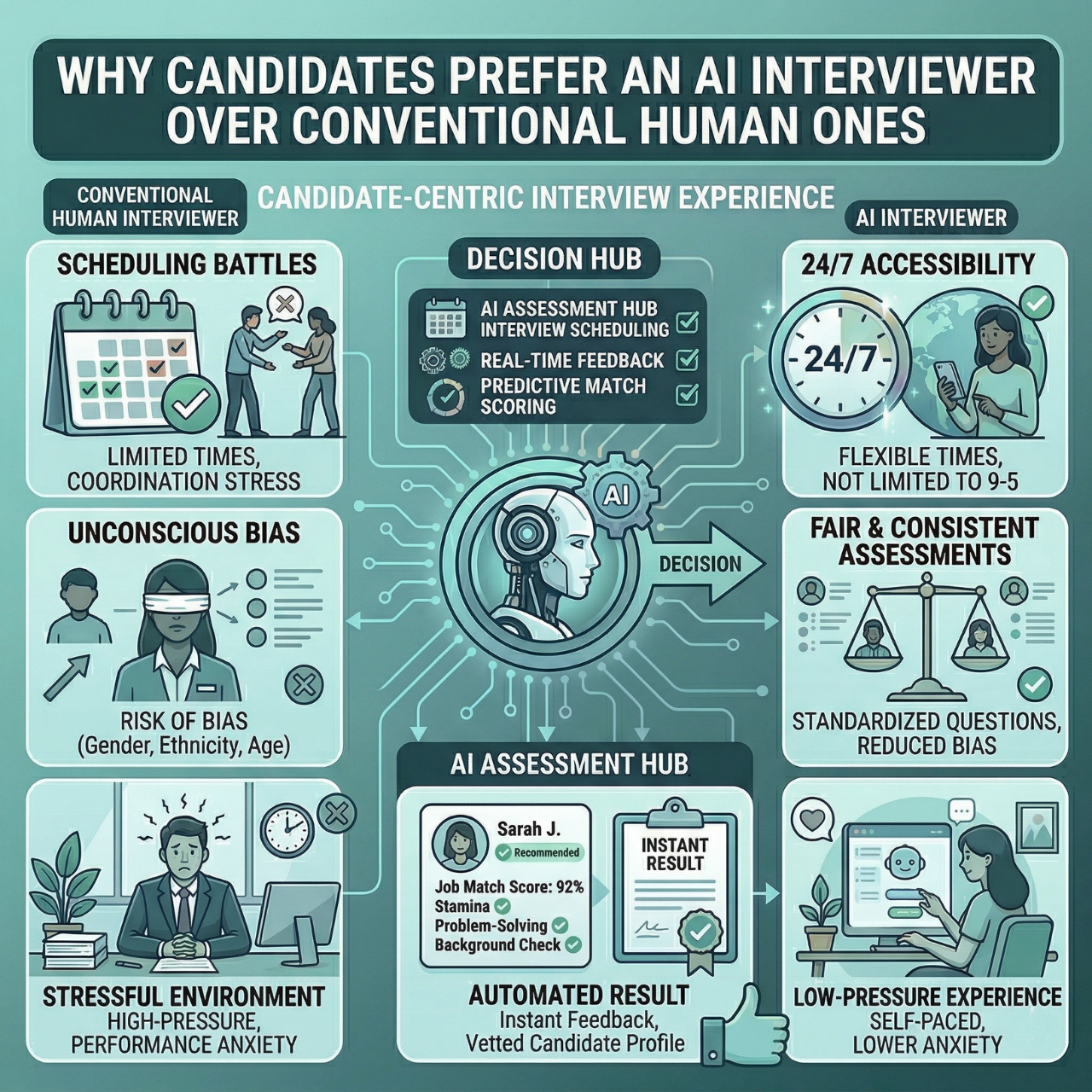
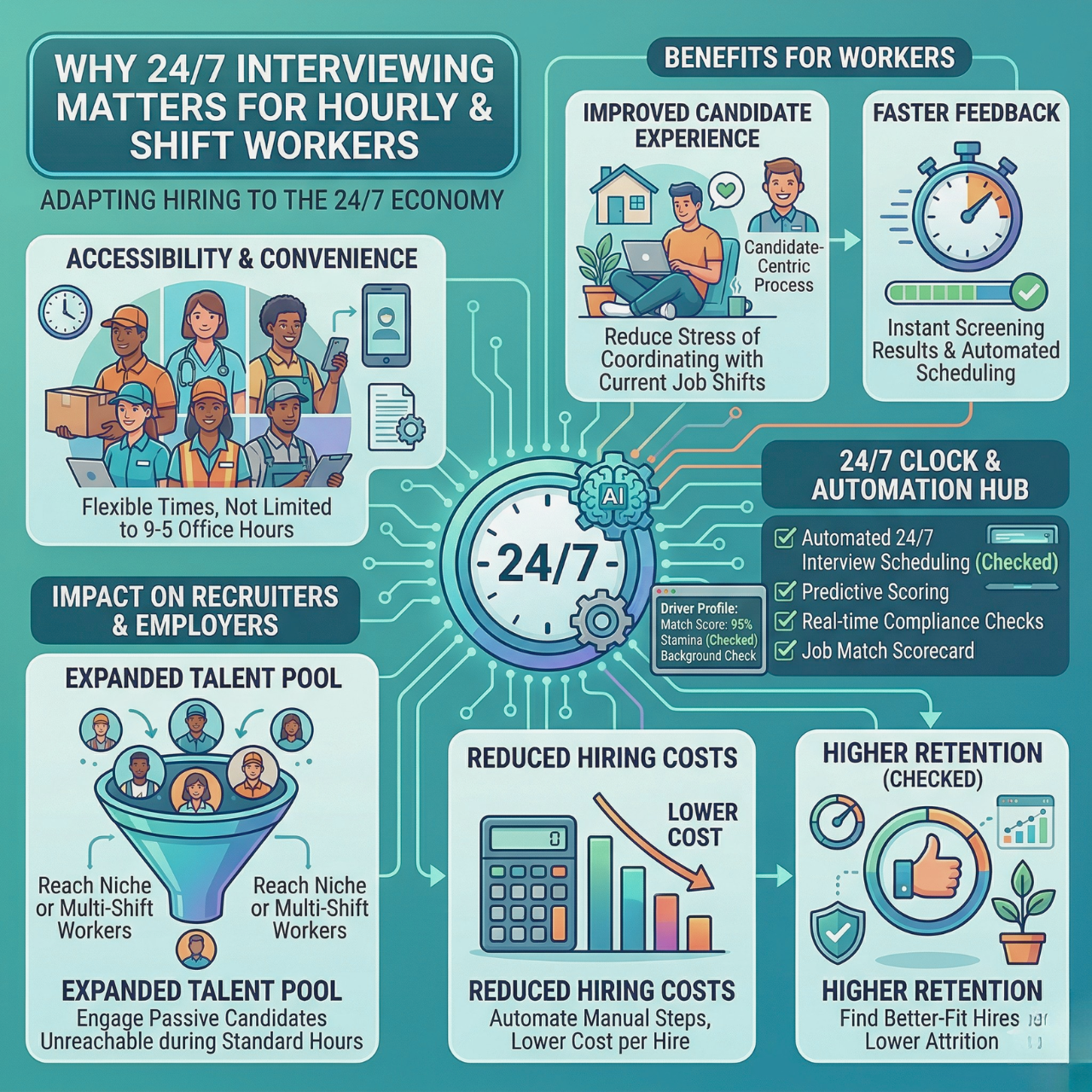
Candidates can complete interviews on their own schedule with 24/7 AI interviews. This flexibility shows respect for their time and makes the process less stressful. Your chances of hiring the right person improve because only qualified candidates move forward.
Automated communication, like reminders and nudges, keeps momentum, so candidates feel valued rather than forgotten.
Enhanced Collaboration
Automating your recruiting workflows makes teamwork smoother. Everyone on your team sees real-time updates through a shared dashboard. This avoids email chains and confusion over candidate status.
You can assign tasks, track bottlenecks, and share feedback instantly. With AI scoring and filtering, your team focuses on the best candidates.
Integration with your ATS or HRIS systems means you keep using your current tools, but with less manual effort. This streamlines approvals and hiring decisions, keeping your process fast and organized.
Choosing the Right Automation Tools
Picking the right automation tools means looking closely at what matters most to your hiring process. You want software that fits your team, works well with your current systems, and speeds up hiring without adding extra hassle.
Criteria for Selection
Look for tools that automate key tasks like candidate screening, scheduling, and communication. Make sure the software integrates smoothly with your ATS or HRIS to avoid workflow disruptions.
Consider features like:
- AI-driven pre-screening to save time on initial reviews
- Automated candidate engagement through SMS and email
- Real-time analytics to track bottlenecks and improve decisions
Prioritize platforms that reduce no-shows by inviting only the most qualified candidates to schedule interviews.
Your tool should help you hire faster by cutting manual work and lowering ghosting rates. The right fit for your team supports scalability as you grow, so you can hire effectively even with multiple open roles.
Top Software Options
The best tools offer a mix of automation, speed, and quality control. One example, powered by Nerva AI, covers AI pre-screening, scoring, and automated scheduling in one platform.
Key tools provide:
Feature
Benefit
AI Interviewer
Candidates interview 24/7 on their time
Automated Scoring
Surfaces top candidates instantly
SMS & Email Nudges
Keeps candidates engaged
ATS Integration
Works seamlessly with existing systems
Choosing software with these features means spending less time on routine tasks and more on picking the right hires. Automation frees you from common bottlenecks so you can focus on building a quality team.
Step-By-Step Guide to Implementing Recruiting Workflow Automation
To automate your recruiting workflow successfully, you need to understand your current hiring steps, set clear goals for what automation should achieve, and map out the entire workflow.
These actions help you target the right tasks to automate and measure improvements clearly.
Assessing Current Processes
Audit your current hiring so recruiting workflow automation targets the right work.
- Review End-to-End: Walk through every step from job descriptions to onboarding.
- Find Time Sinks: Flag tasks that consume time or rely on manual effort.
- Spot Problem Areas: Note delays or frequent errors in screening and scheduling.
- Gather Team Input: Ask recruiters for bottlenecks and pain points.
- List Manual Tasks: Create a simple inventory of repetitive work.
- Identify Automation Fits: Mark where AI pre-screening and automated scheduling can save time and reduce mistakes.
Setting Automation Goals
Define what recruiting workflow automation should achieve for your team.
- Common Goals:
- Cut time spent on manual tasks
- Improve candidate engagement and response rates
- Reduce no-shows and ghosting
- Boost quality by filtering unqualified candidates
- Be Specific:
- Target outcomes you can measure
- Example: reduce scheduling time by 50%
- Example: improve screening by automatically scoring resumes
Clear goals guide which tools to choose and which stages to automate first, and they make it easier to track success later.
Workflow Mapping
Map your process so recruiting workflow automation fits cleanly and speeds results.
- Document Every Step: List each stage, decision point, and owner.
- Cover the Core Flow:
- Job posting and promotion
- Resume collection and review
- Candidate communication
- Interview scheduling
- Offer management
- Visualize It: Use a simple flowchart or table for clarity.
- Spot Automation Wins: Add 24/7 AI pre-screening for evaluations and SMS engagement to keep candidates responding.
- Prevent Gaps: A clear map helps avoid missed steps and ensures smooth handoffs between tools and teammates.
Integrating Automation With Existing HR Systems
Integrating recruiting automation into your current HR setup starts with ensuring your systems can work together. You'll also need a clear plan for moving data smoothly.
Security must be a priority to protect sensitive candidate and employee information during and after integration.
System Compatibility
Compatibility keeps the recruiting workflow automation smooth with your current HR stack.
- Works With ATS/HRIS: Ensure the tool connects to your Applicant Tracking System or HR Information System.
- APIs or Connectors: Check for APIs or built-in connectors for seamless data exchange.
- Sync the Essentials: Confirm automatic syncing for candidate data, interview results, and scheduling.
- Reduce Errors: Choose solutions that plug in without disrupting existing workflows.
- Match Your Tasks: Verify support for the specific automations you need, like AI pre-screening, scheduling, and messaging.
- Validate Early: Confirming compatibility up front saves time and cost later.
Data Migration
A simple plan prevents data gaps when moving to recruiting workflow automation.
- Know What You Need: Identify required data, such as resumes, interview scores, and contact details.
- Map Your Data: Use migration tools that map current formats to the new system.
- Validate Accuracy: Check records after import to avoid missing or corrupted data.
- Automate Imports: Automating data import reduces manual work and errors.
- Back Up First: Keep complete backups before migration.
- Test in a Sandbox: Run tests in a safe environment to catch issues early.
- Ensure Continuity: Good prep helps you transition without downtime or data loss.
Security Considerations
Security is essential when integrating recruiting workflow automation with your HR systems. Use this simple checklist.
- Compliance: Ensure the tool follows labor laws and privacy rules like GDPR and CCPA.
- Encryption & Access Controls: Use encrypted data transfer and secure user permissions.
- Authorized Access Only: Limit viewing and editing of candidate data to approved users.
- Multi-Factor Authentication: Add an extra layer of protection for all accounts.
- Vendor Patches & Audits: Confirm your vendor updates security patches and runs audits.
- Policies & Retention: Keep clear, up-to-date policies for data access and retention.
- Built-In From Day One: Make security part of your integration strategy from the start.
- Trust & Prevention: Strong protection builds trust and helps prevent costly breaches.
Best Practices for Maximizing Automation Results
To get the most from automation, focus on regularly checking your hiring steps. Ensure your team knows how to use the tools well, and track key numbers that show how well the system works.
Continuous Process Evaluation
Automation isn’t a set it and forget it solution. You need to keep reviewing each step in your hiring workflow. Look for slowdowns or tasks where candidates drop off. Adjust your system based on this data to stop problems before they grow.
Use a real-time analytics dashboard to spot bottlenecks quickly. For example, if candidate engagement falls after automated screening, tweak messaging or timing.
Team Training
Even the best automation tools can fail without the right training. Your team needs clear guidance on using automated scheduling, AI interviews, and communication tools. Make sure everyone understands how these features reduce manual work and improve results.
Hold short, focused training sessions covering platform features and updates. Encourage feedback from recruiters on what works or causes confusion. Well-trained users can leverage automation to find top candidates faster and reduce no-shows effectively.
Monitoring Key Metrics
Tracking numbers like time-to-hire, candidate drop-off rates, and interview completion keeps your automation focused. Use data to measure benefits such as faster scheduling or fewer ghosted candidates.
Set clear targets, such as reducing time-to-hire by 40% or cutting no-shows by half. A unified toolset lets you compare results before and after automation.
Common Challenges and How to Overcome Them
When you automate recruiting workflows, issues can come up with people using the tools, technical setup, and costs. Knowing what these challenges look like and how to handle them makes your automation efforts smoother and more successful.
User Resistance
People working in recruiting may resist new automation tools. They might worry that automation will add extra work or replace their jobs. This often slows down adoption and lowers the process’s overall success.
To address this, communicate clearly how automation helps by reducing repetitive tasks and speeding up hiring. Provide training and support so your team feels confident using the platform. Highlight features like automated scoring and scheduling that free up time for meaningful work.
You can also involve your users early, gathering feedback to improve workflows. When recruiters see how a modern AI platform makes hiring easier and faster, resistance tends to fade.
Technical Issues
Introducing new software often brings technical challenges. Problems can include poor integration with existing ATS or HRIS systems, data loss, or software glitches that disrupt workflows.
These issues can cause frustration and errors like such as contacting candidates or losing communication history. Focus on choosing automation solutions that integrate seamlessly with your current systems.
Select tools that support smooth ATS connections to keep information synced. Test workflows thoroughly before full rollout to catch bugs early. Having clear data management rules helps, too. Regular updates and technical support are essential to fix problems quickly and maintain smooth recruiting flows.
Cost Concerns
Automating recruitment can seem expensive at first. You may worry about initial setup fees, subscription costs, or hidden expenses like training and IT support.
These concerns can stop you from trying automation, even if it could save money long term. To manage costs, start with a plan that fits your size and hiring volume.
Many platforms offer tiered pricing, so you pay only for what you need. Consider the time saved on tasks like scheduling interviews and pre-screening candidates. Teams often save roughly 2.7 hours per hire, which can reduce overall hiring expenses.
Compare these savings against the price to justify the spend. Proper planning and clear ROI help control expenses and keep your budget on track.
Future Trends in Recruiting Workflow Automation
Recruiting workflow automation is advancing with smarter technology and better ways to tailor hiring processes. These trends focus on using AI to handle more tasks and customizing candidate experiences to improve engagement and fit.
Artificial Intelligence Enhancements
AI is becoming more powerful in automating recruiting tasks. It can screen and rank candidates faster by analyzing resumes and job descriptions.
This means you see only the most qualified applicants, saving time and effort. Leading tools handle scoring, scheduling, and candidate communication.
You can rely on these tools to reduce no-shows and speed up the hiring timeline. AI also helps reduce bias by using data-driven methods to evaluate candidates on skills and qualifications, rather than subjective opinions. You get a fairer and more consistent process.
Personalization Capabilities
Personalization is key to keeping candidates engaged. Automated workflows can send customized messages and reminders through SMS and email based on where candidates are in the hiring process.
Your recruiting system can also allow candidates to self-schedule interviews at their convenience. This flexibility improves the candidate experience and lowers the chance of cancellations.
By tailoring communication and providing timely updates, you build stronger connections with candidates. This approach helps reduce ghosting and keeps the hiring process moving quickly.
Using personalization alongside automation ensures you focus on the right candidates without losing the human touch.
Make Hiring Fast, Fair, and Predictable
Recruiting workflow automation streamlines every step so your team moves faster with fewer errors. You gain speed, efficiency, and better candidate quality by automating screening, scheduling, messaging, and offer tasks.
With HRMLESS, you centralize AI pre-screening, automated scheduling, and candidate engagement to reduce ghosting and accelerate time to hire while staying consistent across roles.
Book a demo to see how recruiting workflow automation can plug into your ATS, surface top talent sooner, and shorten time to hire.
Frequently Asked Questions
What is recruiting workflow automation?
Recruiting workflow automation uses software to handle repetitive hiring tasks like screening, scheduling, messaging, and feedback. It helps teams move faster, reduce errors, and focus on qualified candidates.
How does it integrate with an ATS or HRIS?
Most tools connect via APIs or native connectors. Candidate data, interview results, and status updates sync in real time, so no manual re-entry.
Which metrics should we track to prove ROI?
Start with time to hire, candidate drop-off, interview completion, offer acceptance, and source quality. Look for shorter cycle times and higher conversion rates.
Can automation reduce bias in hiring?
It can help minimize bias by standardizing questions, scoring, and decision rules. Use structured criteria and audit results regularly to keep evaluations fair.
How does automation improve candidate experience?
Candidates get instant confirmations, reminders, and self-serve scheduling. Faster updates reduce uncertainty and ghosting, which improves satisfaction and completion rates.
Featured

Subscribe to ournewsletter
Related posts
Explore the world of photography with our curated selection of
portfolio websites that showcase creativity and innovation.