

Guide To Automating Pre-Screening Interviews For Faster Hiring
Use this automating pre-screening interviews guide to cut scheduling delays, reduce no-shows, and move qualified candidates forward faster.

Hiring teams lose hours to manual screening, back-and-forth scheduling, and candidates who disappear mid-process. This guide to automating pre-screening interviews shows how to remove those delays so recruiters can focus on qualified, responsive candidates instead of admin work.
HRMLESS helps teams automate pre-screening, scoring, and scheduling in one flow, reducing no-shows and speeding up time-to-hire. By letting candidates interview on their own time, teams move faster without adding complexity or extra tools.
In this article, you’ll learn how automated pre-screening interviews work, what tools matter most, and how to roll them out without hurting candidate experience. The goal is simple: less manual work, faster decisions, and more consistent hiring results.
Pre-Screening Interviews: What They Do And Why They Matter
Pre-screening interviews are all about quickly spotting candidates who meet your job requirements. When you automate this step, you save time, cut down on bias, and keep candidates engaged. It also helps with annoying stuff like scheduling conflicts and slow feedback loops.
Purpose of Pre-Screening Interviews
Pre-screening interviews act as your first filter in the hiring process. They check if candidates have the right skills, experience, and the right attitude for the job.
This step saves you from wasting time on folks who just aren’t a fit. Usually, you’ll ask straightforward questions about qualifications, availability, and basic fit. It gives candidates a chance to share what matters most, so your next steps don’t drag out.
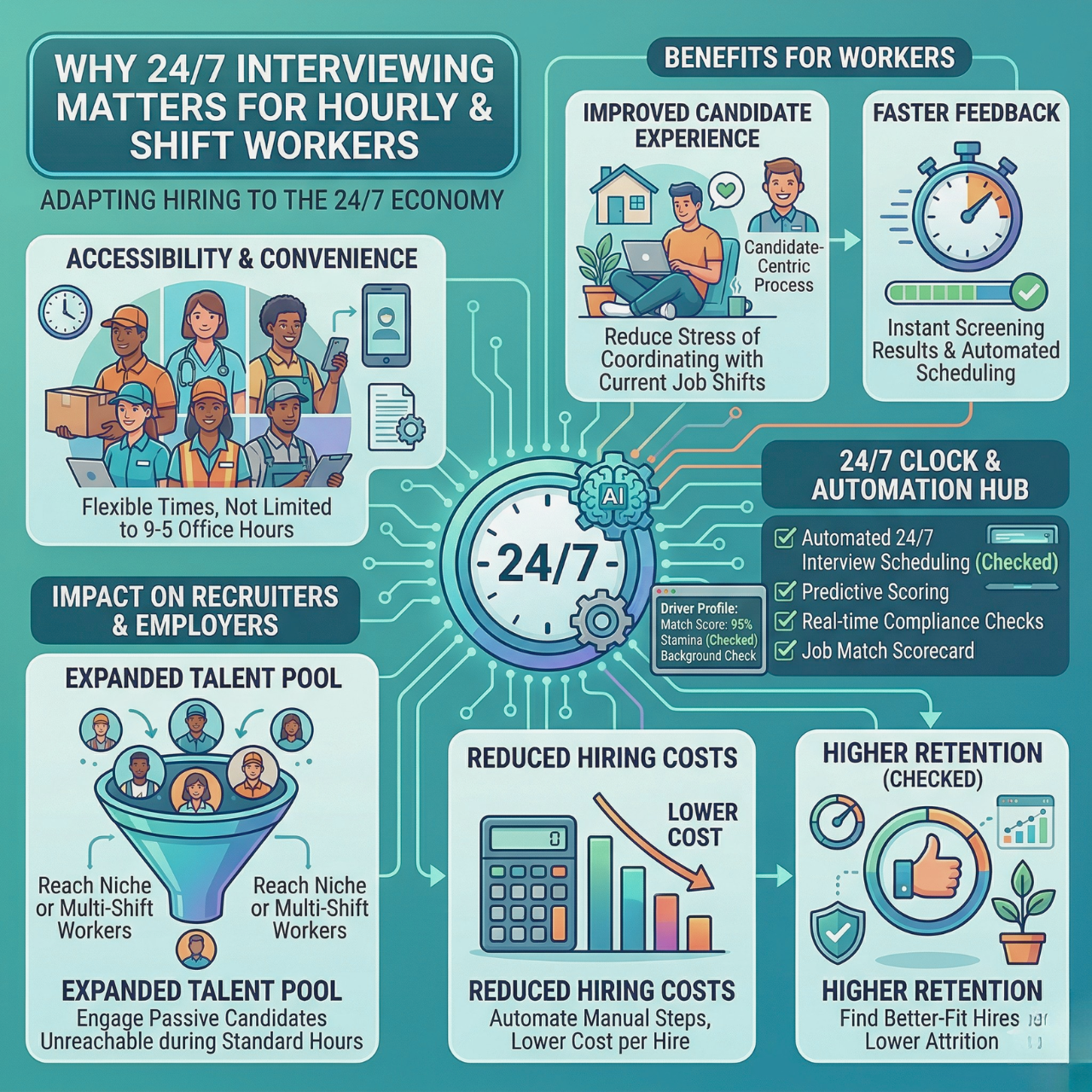
These interviews can happen anytime, so you’re not stuck juggling schedules. Candidates finish them when it works for them, and you get more responses, often way faster.
Common Challenges in Traditional Screening
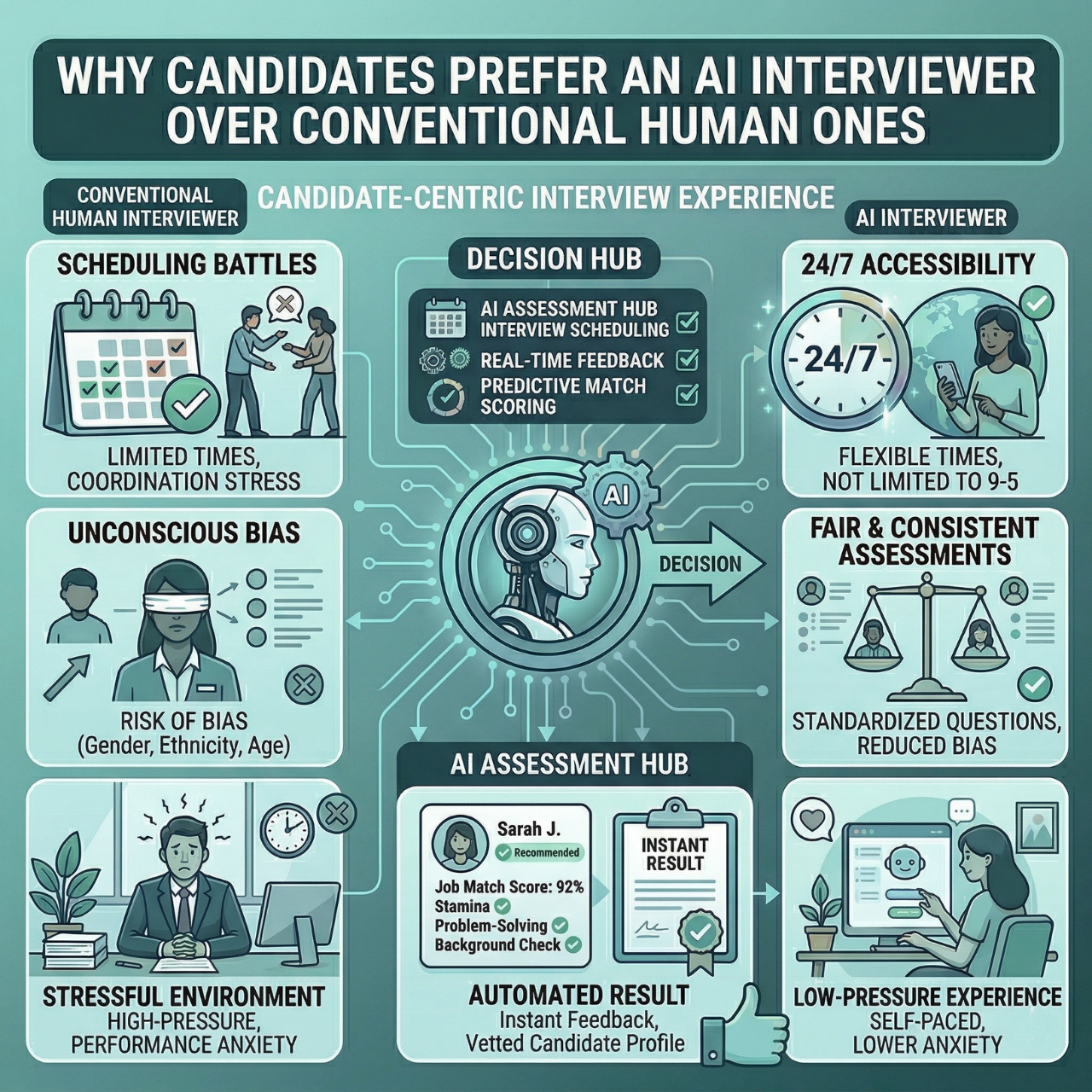
Traditional pre-screening usually means phone calls or live video, which can get slow and messy. You might spend hours just trying to nail down a time or waiting for candidates to reply.
Bias sneaks in during live interviews, too. Interviewers sometimes focus on irrelevant stuff like accents or personal quirks.
And then there’s ghosting, candidates not showing up or dropping off the radar. It’s frustrating and wastes everyone’s time.
Manual screening and scoring often feel inconsistent. You might miss out on top talent or spend too much time on folks who won’t make the cut.
Benefits of Automation
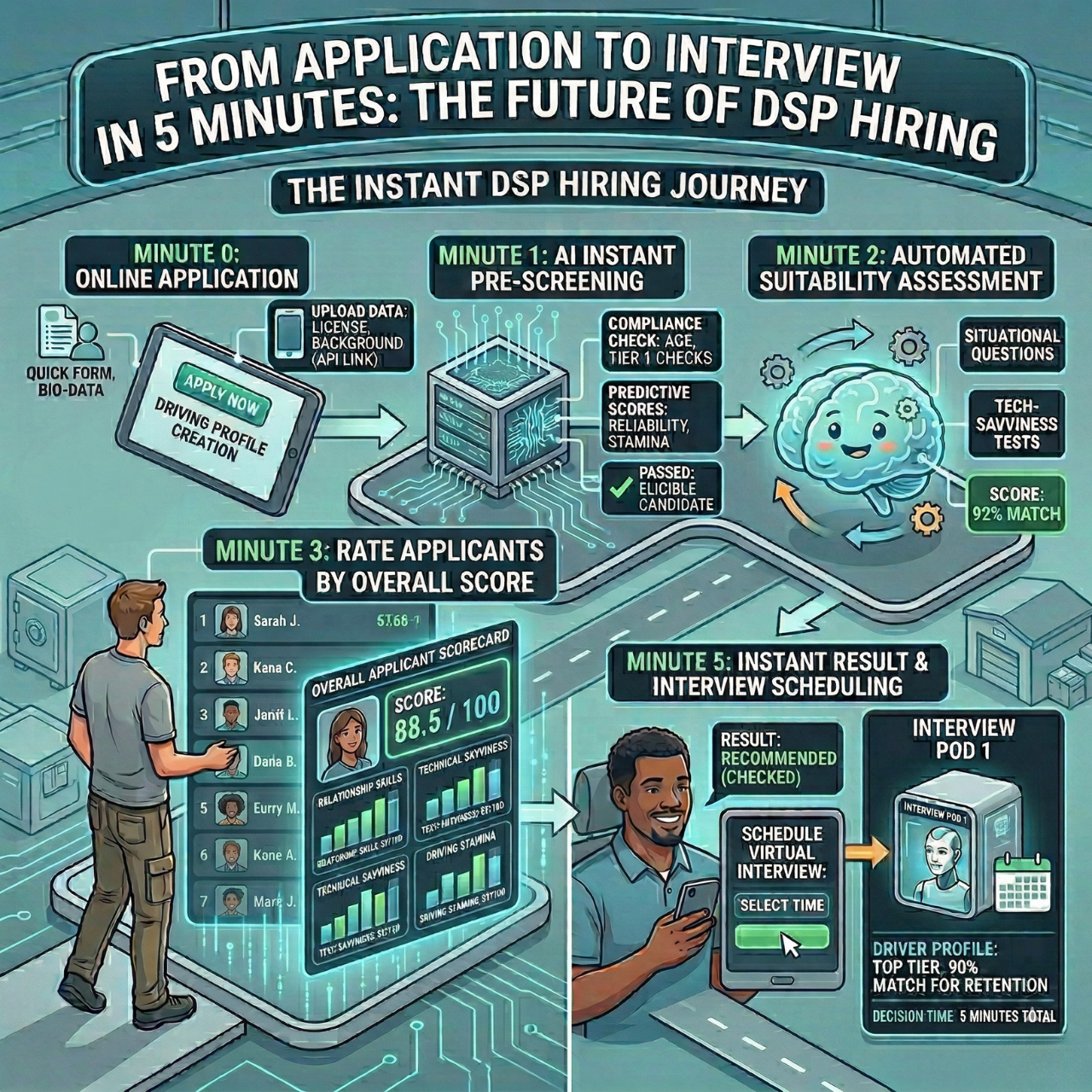
Automating pre-screening interviews solves a lot of these headaches. AI-powered tools let candidates complete interviews anytime, so you’re not left waiting.
AI scores candidates based on skills and behavior, which helps you focus on the right people and keeps things fair.
Automated SMS and email reminders keep candidates moving, slashing no-shows by up to 50% (which is pretty impressive).
When your ATS integrates smoothly, candidate data flows from screening to hiring without friction. You can save about 2.7 hours per hire just by ditching manual scheduling.
Key Components of Automated Pre-Screening
Automated pre-screening depends on smart tools that make hiring faster and less biased. You’ll want features that handle interviews, scheduling, and communication, all while fitting in with your current setup.
Essential Features in Automation Tools
Look for tools that let candidates do interviews whenever they want, no more chasing people down or playing calendar Tetris. Automated scoring is key, so the software can rank candidates based on what you care about most.
- SMS and email nudges keep candidates engaged, so they’re less likely to disappear.
- Automated scheduling means only committed folks book interviews.
- Real-time analytics show you where bottlenecks are hiding.
Put together, these features free you from repetitive tasks and shave hours off your hiring cycle.
Types of Automation Solutions
Automation comes in a few flavors. Some tools offer AI pre-screening interviews that ask questions and score answers for you.
- Others focus on resume screening and candidate ranking to weed out unqualified folks early.
- You’ll also see engagement tools that send reminders by text or email, so you don’t have to.
- Some platforms are super easy to set up, so you can start automating without a huge learning curve.
The best solutions juggle screening, scoring, scheduling, and candidate communication to keep your workflow humming.
Integration With Applicant Tracking Systems
Your automated tools should play nicely with your existing Applicant Tracking System (ATS). When everything’s integrated, data flows smoothly, and you’re not stuck re-entering info or losing track of candidates.
Automation can even trigger actions in your ATS, like moving candidates to the next step. That keeps things organized and cuts down on mistakes.
Platforms that prioritize ATS integration let you automate without blowing up your current process. That’s a win for efficiency, especially as you scale up hiring.
Preparing for Automation
Before you dive into automation, figure out what fits your team’s style and goals. Picking the right tech and setting clear objectives makes pre-screening way smoother.
Evaluating Organizational Needs
Take a look at how many hires you make and which hiring steps eat up the most time. If you’re spending hours sorting resumes or scheduling calls, automation could be a lifesaver.
Think about your hiring volume and the types of roles you fill. Big teams need tools that can handle a flood of candidates; smaller teams might want something that slips into their existing process without fuss.
Check your current system for weak spots. Are you losing candidates because scheduling is slow? Is ghosting driving you nuts? Knowing these pain points helps you pick features that’ll actually help.
Selecting the Right Technology
Pick a platform that fits your needs now but won’t hold you back as you grow. Look for AI pre-screening, auto-scoring, and multi-channel engagement (SMS, email, you name it). Make sure it works with your ATS, so you’re not cobbling together a bunch of disconnected tools.
Some systems offer 24/7 interviews; candidates can jump in whenever, which speeds things up. Automated scheduling also helps, since candidates can pick times that work for them, cutting down on no-shows.
Find something with clear analytics. Real-time data lets you spot slowdowns and keep hiring on track.
Setting Automation Goals
Set some measurable goals before you start automating. Decide what you want to fix-maybe it’s reducing time-to-hire or cutting ghosting rates.
For example:
- Slash scheduling time by 50%
- Cut no-shows in half
- Screen three times more applicants automatically
Goals help you pick the right features and check if automation’s actually working. They keep your team focused on results, not just shiny new tools.
With goals in place, you can track progress. If pre-screening gets faster or candidate engagement goes up, you’ll know automation is doing its job.
Designing Automated Interview Processes
Start by building a system that uses clear questions and fair evaluations. This helps you save time and find the right candidates without a ton of guesswork.
Crafting Effective Screening Questions
Your questions should get at the heart of what matters for the role. Use simple language-no one likes trick questions or jargon.
Focus on these:
- Skill-based: Ask about hands-on experience that actually matters.
- Behavioral: See how candidates have tackled real situations before.
- Cultural fit: Figure out if their vibe matches your company’s.
Don’t go overboard; 5 to 7 questions are usually plenty. Too many, and candidates check out.
Mix in both multiple-choice and open-ended questions. Multiple choice makes scoring easy, while open-ended ones show off communication chops.
Some automated tools use conversational AI to adapt questions based on answers, which keeps things personal without extra work.
Establishing Evaluation Criteria
Set clear scoring rules before you start reviewing. It keeps things fair and consistent.
Build a scorecard that ties points to what matters most for the job. For example:
- Question Type
- Scoring Example
- Weight
- Skill-based
- Correct technical answer
- 40%
- Behavioral
- Strong problem-solving
- 35%
- Cultural fit
- Aligns with core values
- 25%
Set a minimum score for moving forward. That way, you can quickly filter out candidates who just aren’t a match.
Let automation do the ranking. This cuts bias and helps you decide faster. Everyone gets judged on the same scale, so it feels fair. Automated reminders and scheduling tools also keep things humming, so you don’t lose engaged candidates halfway through.
Implementing Automated Solutions
If you want automated pre-screening interviews to actually work, you need a solid rollout plan and a smooth candidate experience. Make it easy for your team to get on board, and keep candidates in the loop at every step.
Best Practices for Rollout
Ease into automation. Start with simple stuff; maybe just automated scheduling or AI-powered pre-screening-to show quick wins and build buy-in.
Train your hiring staff on how the AI works, so they know what to expect and trust the results. Ask for feedback often. Find out what’s working (and what’s not), then tweak your setup as you go.
Use tools that integrate easily with your ATS and HRIS. It keeps everything tidy and avoids extra work. Be up front about your goals; save time, reduce bias, and find better candidates. Everyone likes knowing what the point is.
Ensuring a Positive Candidate Experience
Let candidates know what to expect from the start. Send simple instructions and reminders by SMS or email to keep them on track.
Let them complete interviews whenever it works for them; 24/7 access is a game-changer for busy people.
Keep the AI interview conversational, but don’t make it weird or robotic. Skip questions that feel confusing or off-putting.
Give candidates a way to ask questions or get help if they need it. Nobody likes feeling stuck or ignored. Let automated scoring highlight the best fits, so candidates feel their time matters and the process is actually fair.
Monitoring and Improving Automation Systems
If you want your automated pre-screening to actually work, you’ve got to keep an eye on how it’s doing. Adjust workflows as you go —no system’s perfect out of the box.
New tools and trends pop up all the time, so staying in the loop helps keep everything running smoothly and, honestly, a bit fairer.
Tracking Key Metrics
Start by measuring key metrics like candidate completion rates, time-to-hire, and quality scores. These numbers show if you’re actually saving time or just adding steps.
Use a dashboard to track:
- Candidate engagement (how many finish pre-screening)
- Interview scores (average and distribution)
- Time saved per hire (hours reduced compared to manual steps)
- Drop-off points (where candidates leave or fail)
Check these stats regularly so you can catch issues before they snowball. If completion rates start tanking, maybe your questions need tweaking, or your follow-ups are too slow.
It’s all about using the data to keep things running better and making the candidate experience less of a headache.
Refining Interview Workflows
Go back and review your interview questions and scoring methods every so often. Automated systems can accidentally screen out strong candidates if you don’t keep them in check.
Focus on:
- Question clarity: Simple, clear questions help avoid confusion.
- Balanced scoring: Make sure scores actually reflect skills, not just lucky guesses.
- Candidate experience: Keep pre-screening short and fair so people don’t bail halfway through.
Test any workflow changes on a small batch before rolling them out to everyone. Adjust questions and scoring on the fly when you spot problems.
It’s smart to automate follow-ups with SMS or emails, so candidates stay in the loop and don’t ghost you.
Staying Updated With Industry Trends
AI hiring tools evolve fast. If you want to stay competitive, you’ve got to keep up.
Follow:
- Latest AI capabilities: Things like voice interviews and smarter scoring.
- Bias reduction updates: New ways to keep hiring fair.
- Compliance changes: Laws and best practices shift; don’t get caught off guard.
Sign up for newsletters or jump into hiring forums focused on automation. Staying plugged in means you’ll know when it’s time to upgrade or tweak your process.
Overcoming Common Automation Challenges
Using AI for pre-screening interviews can save you a lot of time. But let’s be real, you’ll run into some headaches, technical glitches, fairness worries, and legal stuff.
Addressing Technical Issues
Technical hiccups can stall your hiring and drive candidates nuts. Make sure your system runs smoothly and responds fast, especially if you’re dealing with a lot of applicants at once.
AI tools work around the clock, so candidates can jump in whenever they want. Still, have a backup plan: manual scheduling or phone interviews, just in case your main system has a meltdown.
Keep your software up to date. If it works on all devices, especially mobile, you’ll have fewer no-shows since candidates can do things on their own time.
Send out SMS and email nudges to remind candidates about next steps. Watch your system’s real-time data so you can squash bugs before they become big problems.
Maintaining Fairness and Compliance
If automation isn’t fair, you risk damaging your reputation or worse. Use algorithms that stick to job-relevant skills and experience, nothing else.
Don’t use questions or scoring methods that could accidentally favor certain groups. Always base decisions on objective data, not gut feelings.
Stay on top of laws like Equal Employment Opportunity rules. Keep records of interviews and the steps you take, just in case you need to prove the process was above board.
Be upfront with candidates about how you use AI in hiring. Give them a way to reach a real person if they’ve got questions or need accommodations.
The Future of Automated Pre-Screening Interviews
Automated pre-screening interviews are only going to get smarter. AI will keep your hiring process running 24/7, so candidates can jump in whenever it suits them; no more juggling calendars.
Pretty soon, automation won’t just handle interviews. Future tools will score and rank candidates for you, so you can focus on the top picks instead of digging through stacks of resumes.
Here’s what’s coming in the next wave of AI hiring software:
- Voice engagement: Let candidates respond naturally, which makes the whole thing feel less robotic.
- Seamless ATS integration: Your workflow stays smooth; no extra hoops to jump through.
- Real-time analytics: Spot bottlenecks and drop-offs instantly.
Automated platforms already use AI to handle pre-screening, scoring, and scheduling. That means less admin work for you and fewer candidates ghosting.
Automated SMS and email reminders keep things moving, so you’re not left wondering where everyone went.
As AI hiring tools keep evolving, you’ll get more control, and let’s be honest, a lot less hassle. Faster, cleaner hiring, and you actually get to focus on what matters: finding people who fit.
Hire Faster Without the Screening Bottlenecks
Manual pre-screening slows hiring, creates scheduling headaches, and increases candidate drop-off. Automating interviews, scoring, and follow-ups removes those friction points so teams can move qualified candidates forward faster and with more consistency.
HRMLESS supports this shift by streamlining pre-screening interviews into a single, automated workflow. The result is less admin work for recruiters, fewer no-shows, and a clearer path to identifying strong-fit candidates early.
If screening delays are holding your team back, it’s time to simplify the process. Book a demo and see how automated pre-screening interviews can speed up hiring without sacrificing quality.
Frequently Asked Questions
What tools can help automate the pre-screening interview process?
Look for AI-driven platforms that run interviews 24/7. Candidates answer questions on their own schedule, and the system scores them instantly. Make sure the tool plays nice with your ATS and uses SMS or email to keep candidates in the loop.
How can I ensure a fair evaluation when using automation in interviews?
Use AI trained on diverse data to reduce bias. Structured questions and scoring based on actual behavior help keep things objective. Skip subjective stuff like gut feelings or favoring certain schools-stick to what matters for the job.
What are the benefits of pre-screening interview automation for recruiters?
Automation handles scheduling and scoring, so you don’t have to. It cuts down on no-shows by letting people book interviews when it works for them. You’ll see faster hiring cycles, better candidate engagement, and way less ghosting.
What tips can improve candidate experience during automated pre-screening?
Send reminders via SMS and email so candidates don’t lose track. Make your questions clear and actually relevant to the job. Let people complete interviews when it works for them, and keep your communication friendly, not robotic.
How do you maintain a personal touch in automated pre-screening interviews?
Use conversational AI that feels more natural. Personalized messages and voice options can help make things warmer. Follow up with quick, tailored responses so candidates don’t feel like just another number in the system.
What are some best practices for setting up automated pre-screening interview questions?
Start with clear, straightforward questions that tie directly to the skills and behaviors the job actually needs. Skip anything that's too complicated or vague; nobody wants to puzzle over what you're really asking.
Try mixing in both multiple-choice and open-ended questions. That way, you get a better feel for different aspects of each candidate. It's smart to revisit your questions every so often. When you look at how candidates perform, you'll spot what works and what needs a tweak.
Featured

Subscribe to ournewsletter
Related posts
Explore the world of photography with our curated selection of
portfolio websites that showcase creativity and innovation.